Page 20 / 35
INSTRUCTION MANUAL
SAFE 2010/MaxiSAFE 2010
81-09-IM.doc
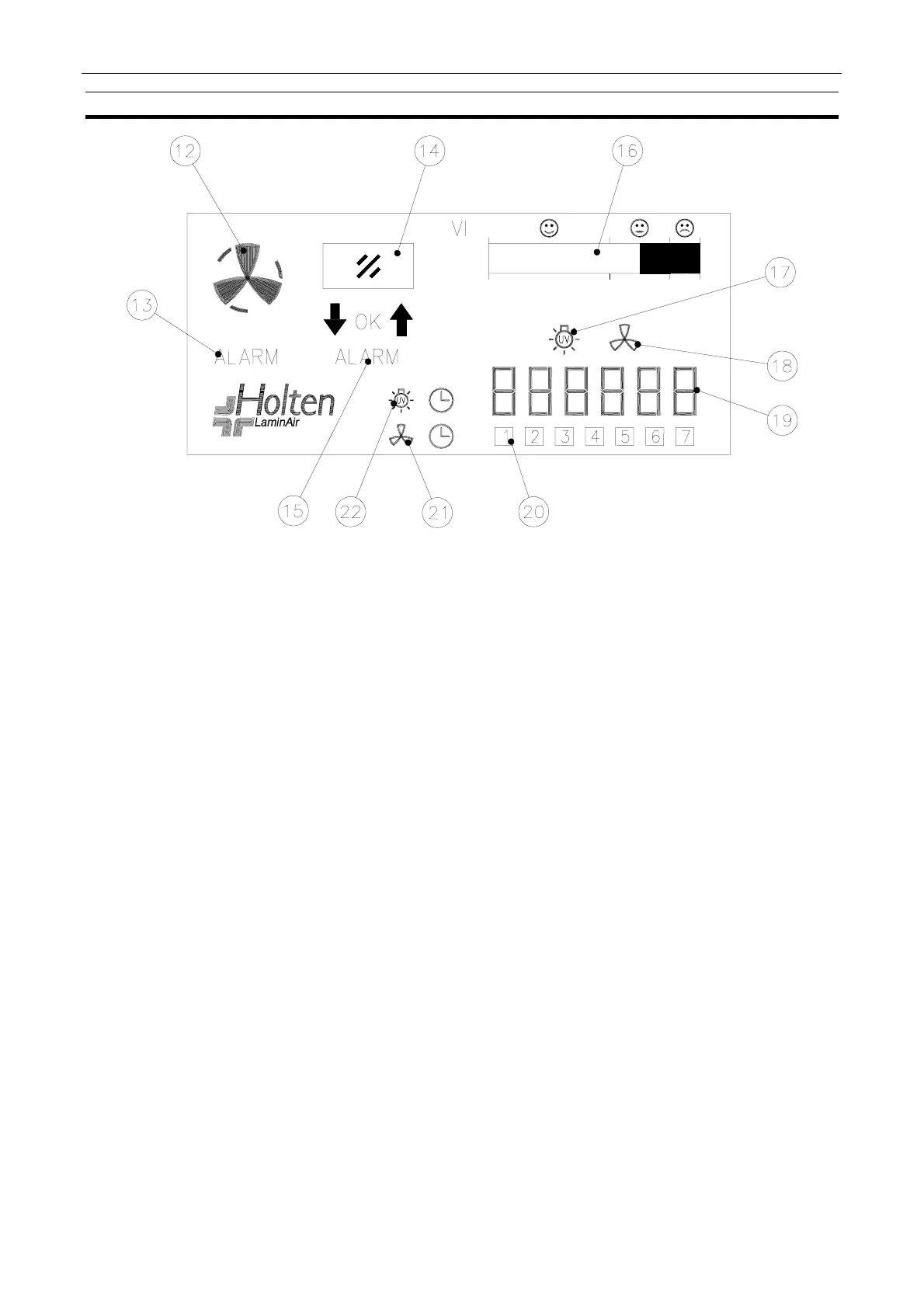
9.2. LCD Display
12. Fan velocity: Normal, Reduced, or Stop.
13. Air velocity not within safe limits. The icon flashes, the acoustic signal sounds and flashing
red light comes on.
14. Front window (sliding sash).
15. Front window not in safe position. The icon flashes, the acoustic signal sounds and flashing
red light comes on.
16. Indication of vertical air velocity in the work chamber (service meter).
17. This icon will illuminate when the UV timer is being programmed.
18. This icon will illuminate when the automatic start-up timer is programmed.
19. Hour counter or clock with fan switch ON or OFF.
20. Indication of weekday.
21. This icon will illuminate when the automatic start-up is programmed and active.
22. This icon will illuminate when the UV timer is activated.



 To Next Page