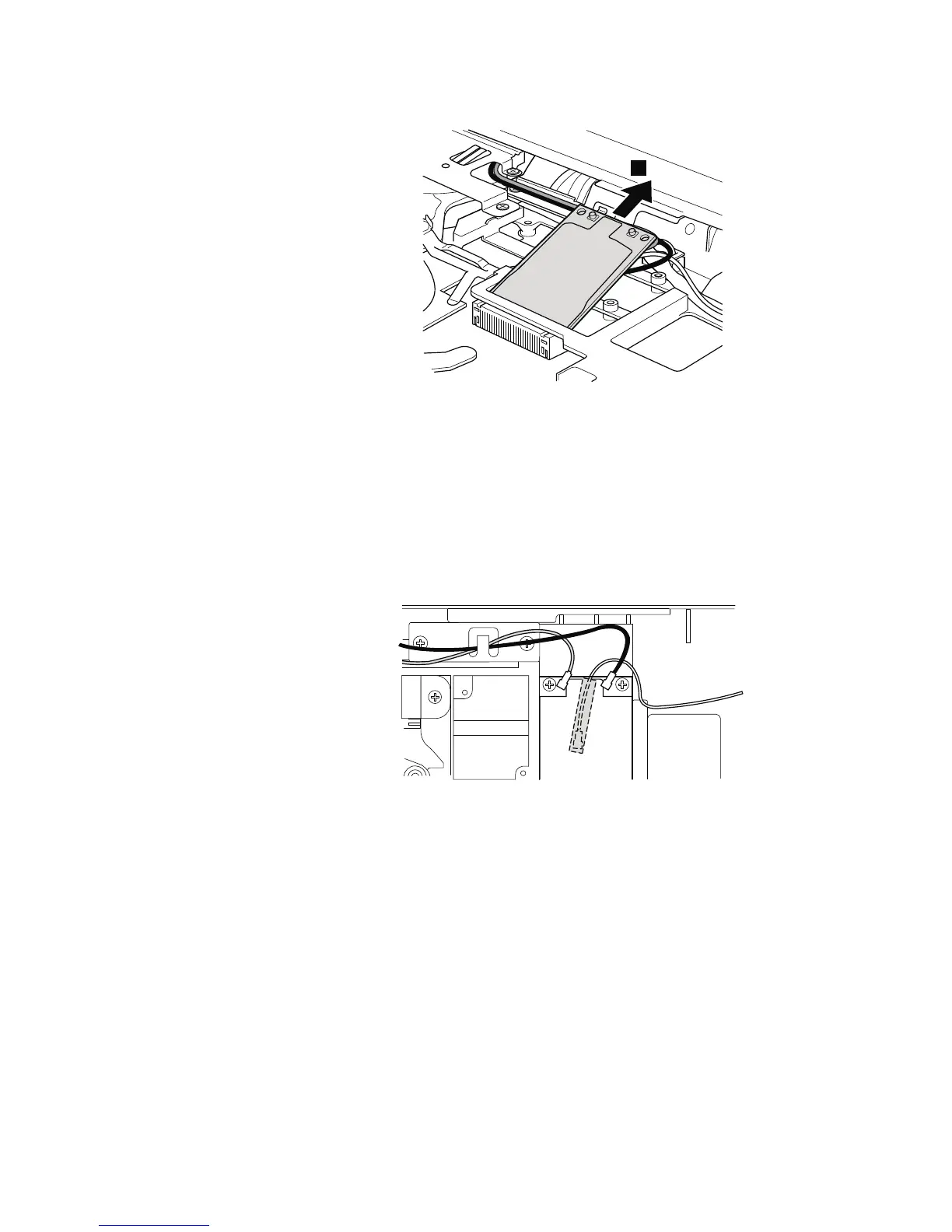
Table 15. Removal steps of PCI Express Mini Card for wireless LAN (continued)
3
When installing:
In models with wireless LAN card that has two antenna connectors, plug the
gray cable into the jack labeled MAIN or M on the card, and the black cable
into the jack labeled AUX or A.
If the computer you are servicing has three cables, put the white cable in the
cable protection tube.
In models with wireless LAN card that has three antenna connectors, plug the
gray cable (MAIN) into the jack labeled TR1, the white cable (3rd) into jack
labeled RO or TR3, and the black cable (AUX) into jack labeled TR2 on the card.
Removing and replacing a FRU 95



 To Next Page