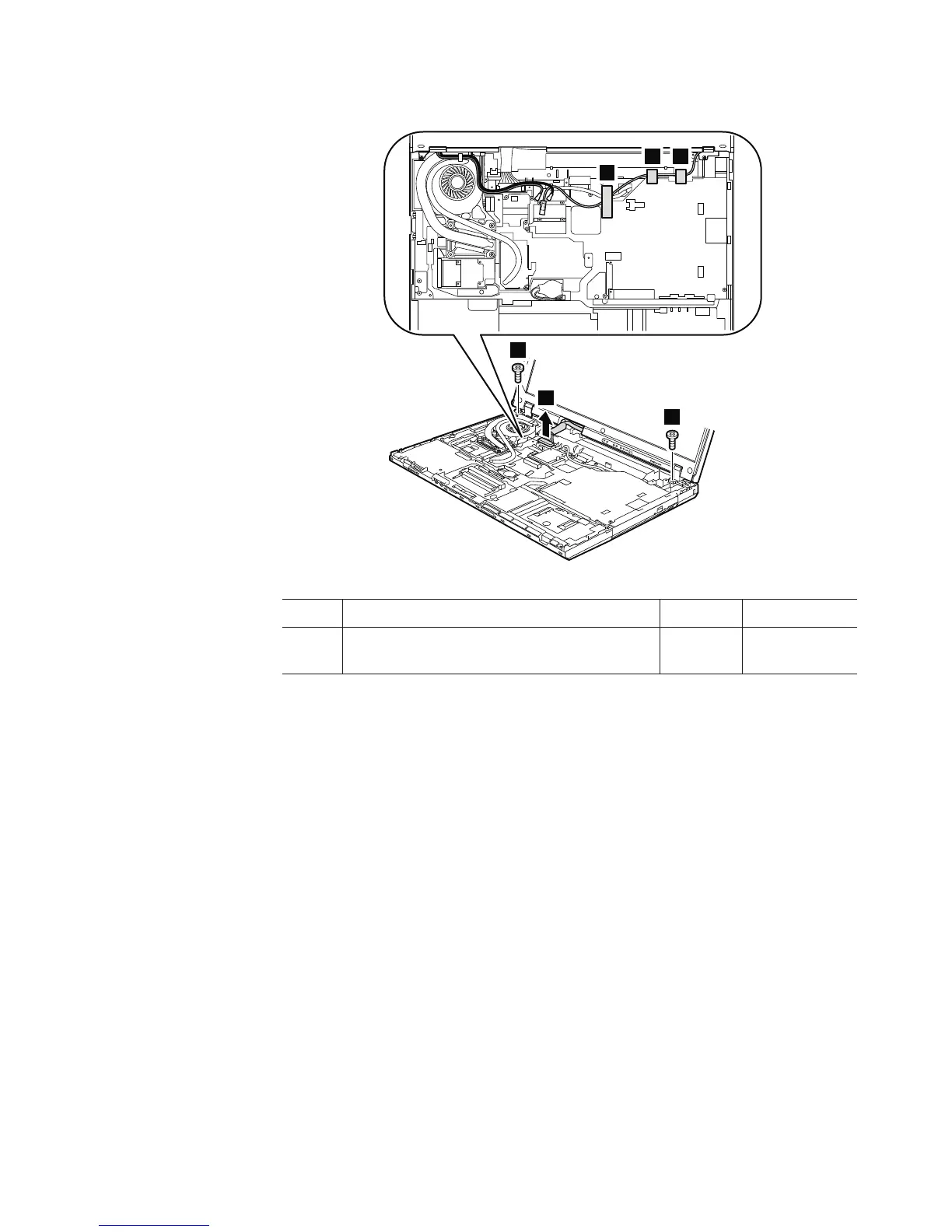
Table 21. Removal steps of LCD assembly (continued)
3
3
2
4
4 4
Step Screw (quantity) Color Torque
3 M2.5 × 6.5 mm, flat-head, nylon-coated (2) Black 0.167 Nm
(1.7 kgfcm)
In step 4, strip off the tapes securing the antenna cables, and release the cables
from the cable guides of the frame.
Removing and replacing a FRU 109



 To Next Page