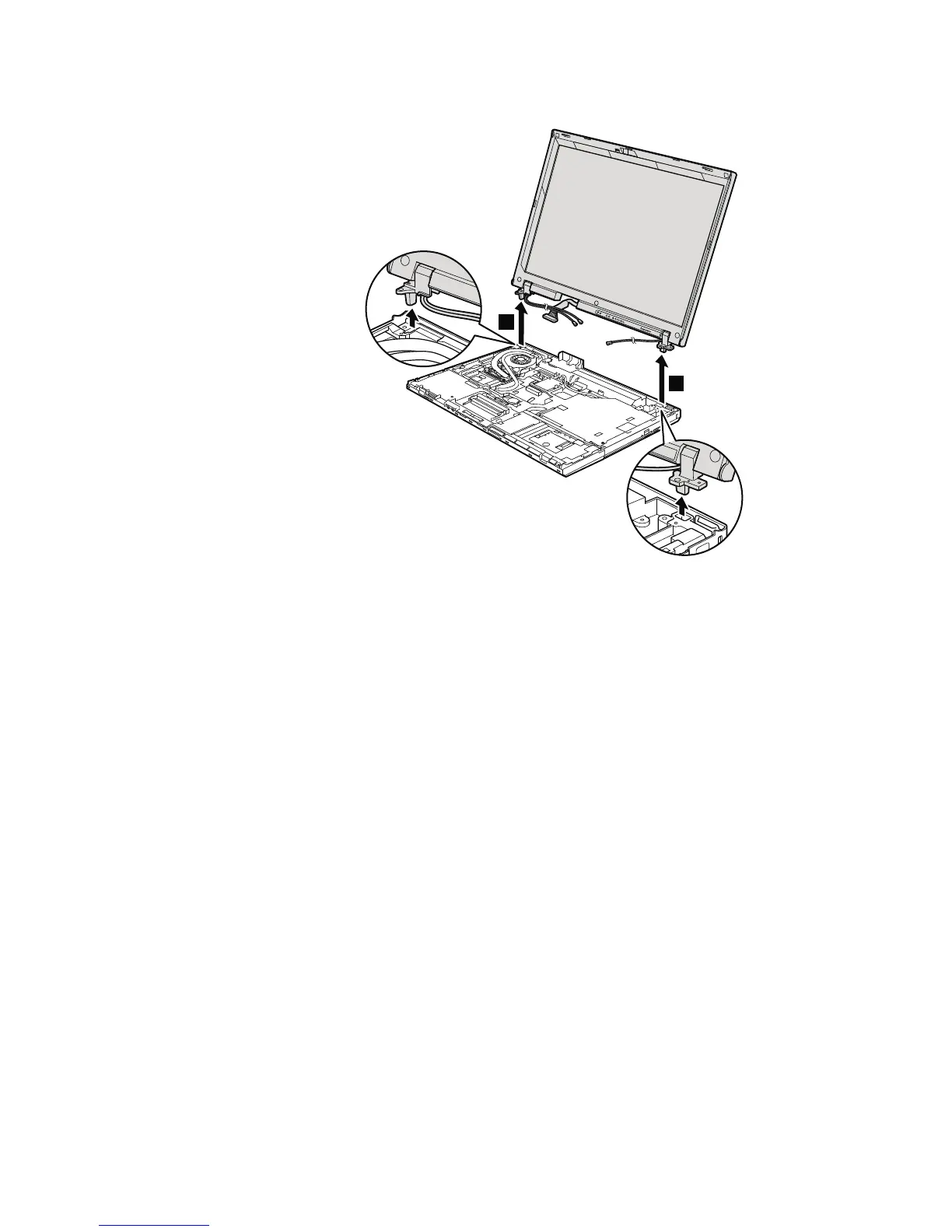
Table 21. Removal steps of LCD assembly (continued)
5
5
When installing:
1. Route the antenna cables along the cable guides and secure them with the
tapes. As you route the cables, make sure that they are not subjected to any
tension. Tension could cause the cables to be damaged by the cable guides,
or a wire to be broken.
2. Make sure that the LCD connector is attached firmly.
110 ThinkPad R500 Hardware Maintenance Manual



 To Next Page