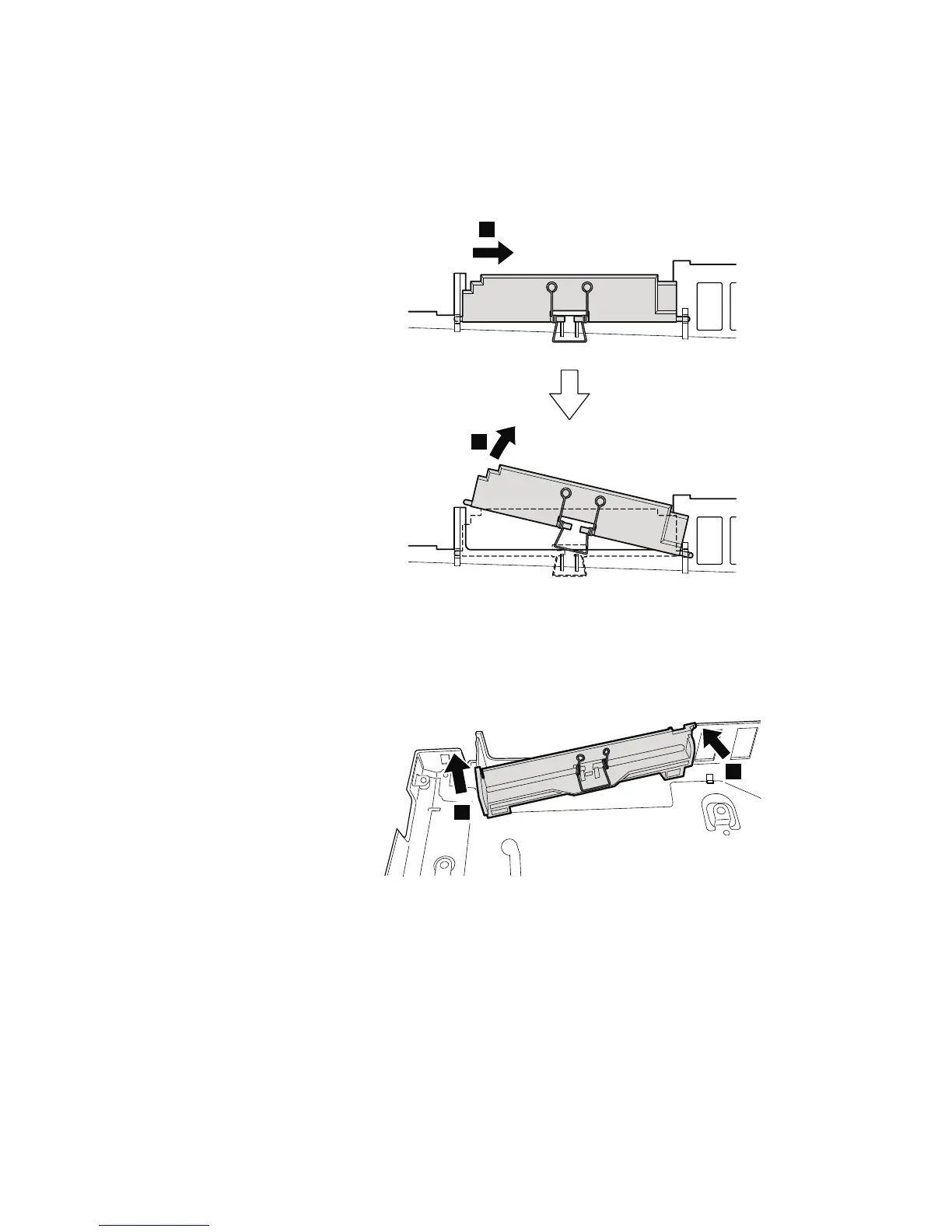
Table 22. Removal steps of base cover and PC Card/ExpressCard (or ExpressCard/Smart
Card) bezel assembly (continued)
When removing the PC Card/ExpressCard bezel assembly, do as shown in this
figure.
1
2
When removing the ExpressCard/Smart Card bezel assembly, do as shown in
this figure.
1
2
Removing and replacing a FRU 117



 To Next Page