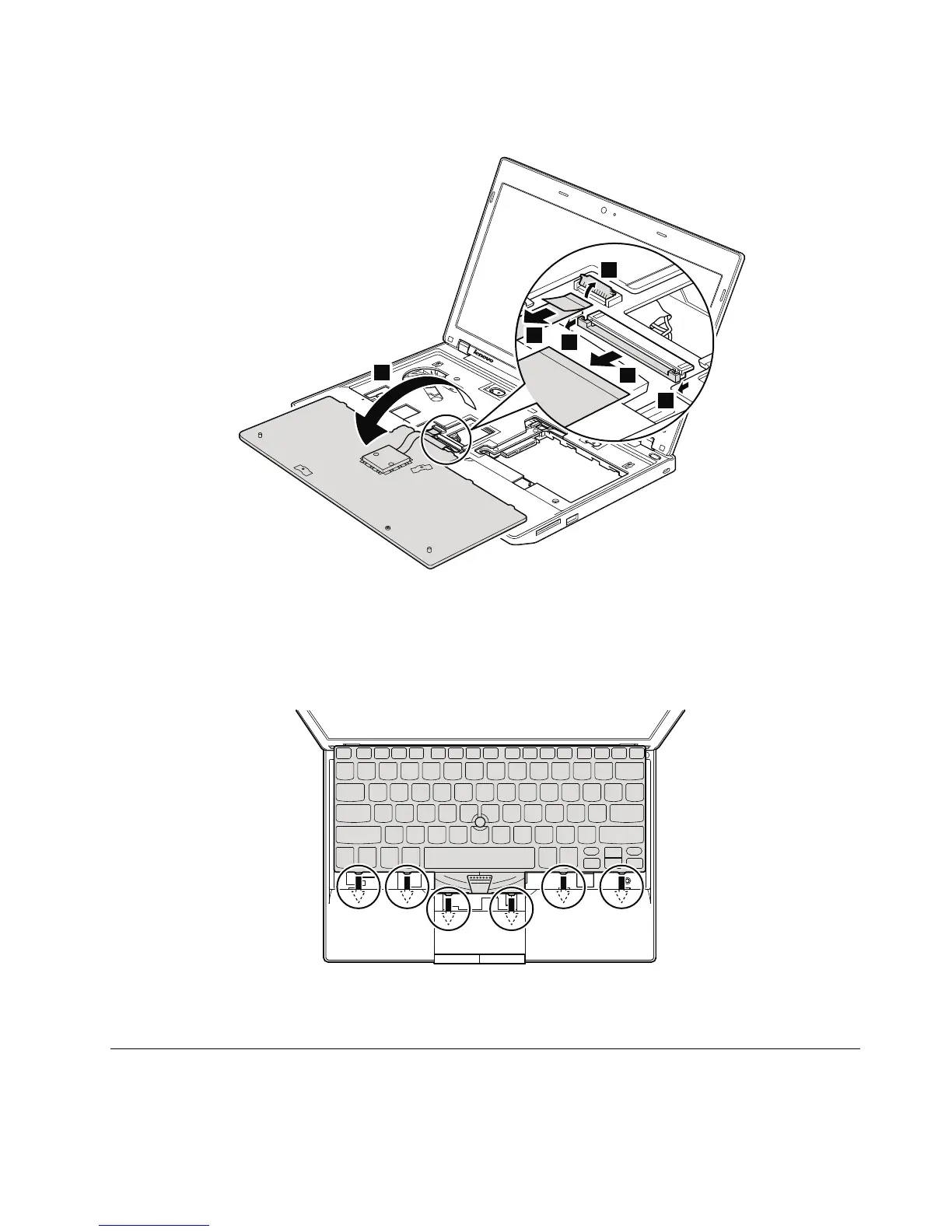
Table17.Installationstepsofkeyboard
Wheninstallingthekeyboard,doasfollows:
1.Attachthekeyboardconnectors.
2.Attachthekeyboardsothatthefrontedgeofthekeyboardareundertheframeasshowninthisgure.
3.Securethekeyboardbytighteningthescrewsfromthebottomsideofthecomputer.
1090Palmrestassembly,power-onboardassembly(withcable),and
microphone
Foraccess,removetheseFRUsinorder:
Chapter8.RemovingandreplacingaFRU67



 To Next Page