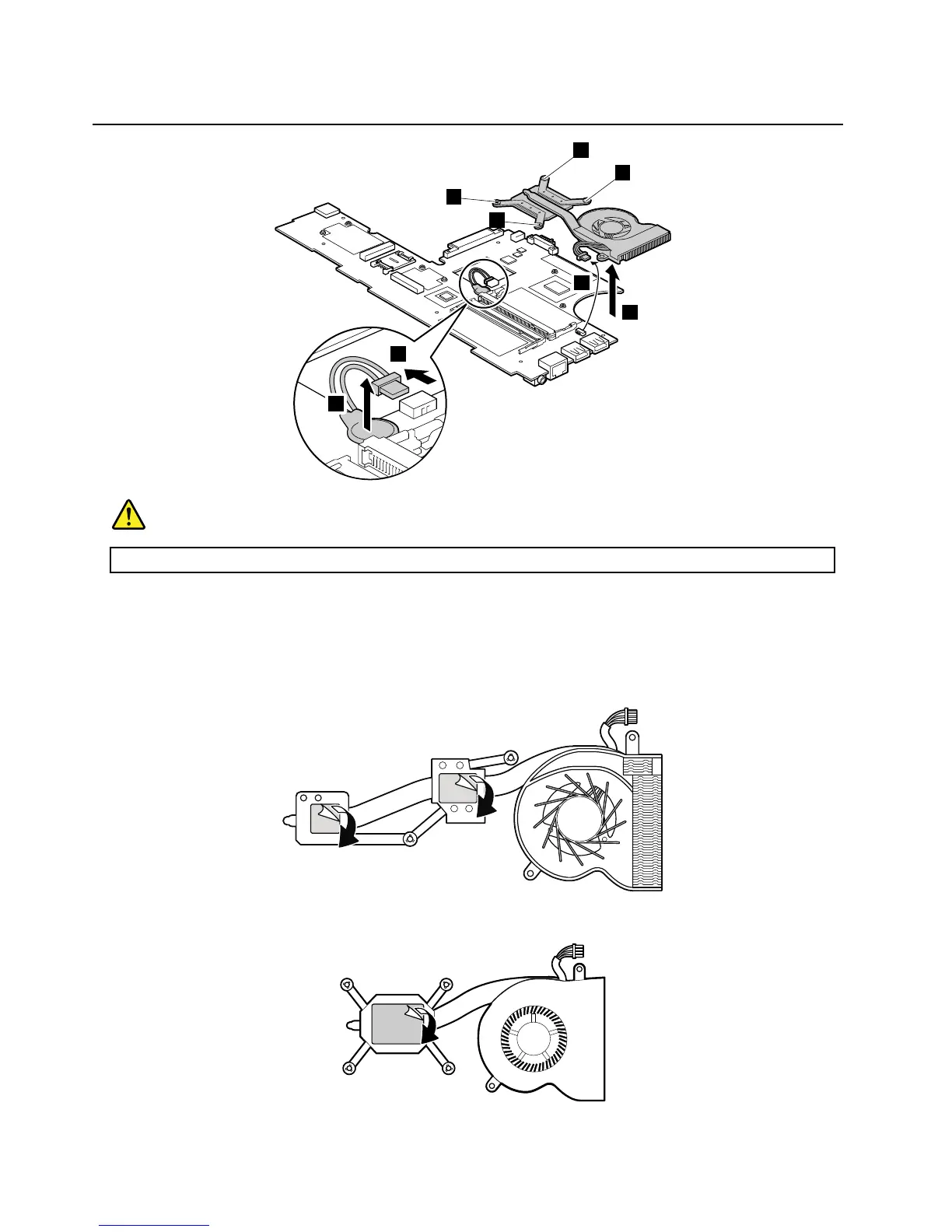
Table23.Removalstepsofsystemboard,bluetoothdaughtercard,fanassembly,andbackupbattery(continued)
DANGER
Useonlythebatteryspeciedinthepartslistforyourcomputer.Anyotherbatterycouldigniteorexplode.
Wheninstalling:Makesurethattheconnectorsareattachedrmly.
Wheninstalling:Beforeyouattachthefanassemblytothesystemboard,youneedtopeelthethinlmofffromthe
thermalrubbersasshowninthisgure.
ForThinkPadX100e
ForThinkPadX120e
80HardwareMaintenanceManual



 To Next Page