Settings
52
6.3.10 Setting the blind spot detection (BSD)
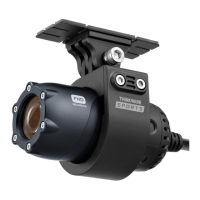
Using the backup camera, this feature will detect the presence of other vehicles in blind spots and notify
the driver. Refer to the following instructions to enable or disable this feature.
1
On the Live view screen, tap the Home button ( )
>
Settings
>
Road safety settings, and then tap the
Setting button next to Blind spot information under Road Safety Warning System.
2
Switch the button to ON or OFF to activate or deactivate the feature. If it is set to ON, a window will
appear to inform you that the left and right sides of the image will be reversed. Tap OK.
The left and right sides of the rear view image will be reversed when the blind spot information feature is
activated.
6.3.11 Setting the rear view in gear R
This feature provides the rear view of the vehicle when the vehicles gear is set to R. Refer to the following
instructions to enable or disable this feature. This feature does not work with vehicles equipped with
manual transmission.
The left and right sides of the rear view image will be reversed when the Rear View in Gear feature is
activated.
1
On the Live view screen, tap the Home button ( )
>
Settings
>
Road safety settings, and then tap the
Setting button next to Rear View in Gear R under Road Safety Warning System.
2
Switch the button to ON or OFF to activate or deactivate the feature. If it is set to ON, a window will
appear to inform you that the left and right sides of the image will be reversed. Tap OK.



 To Next Page