Product overview
8
1.2 Part names
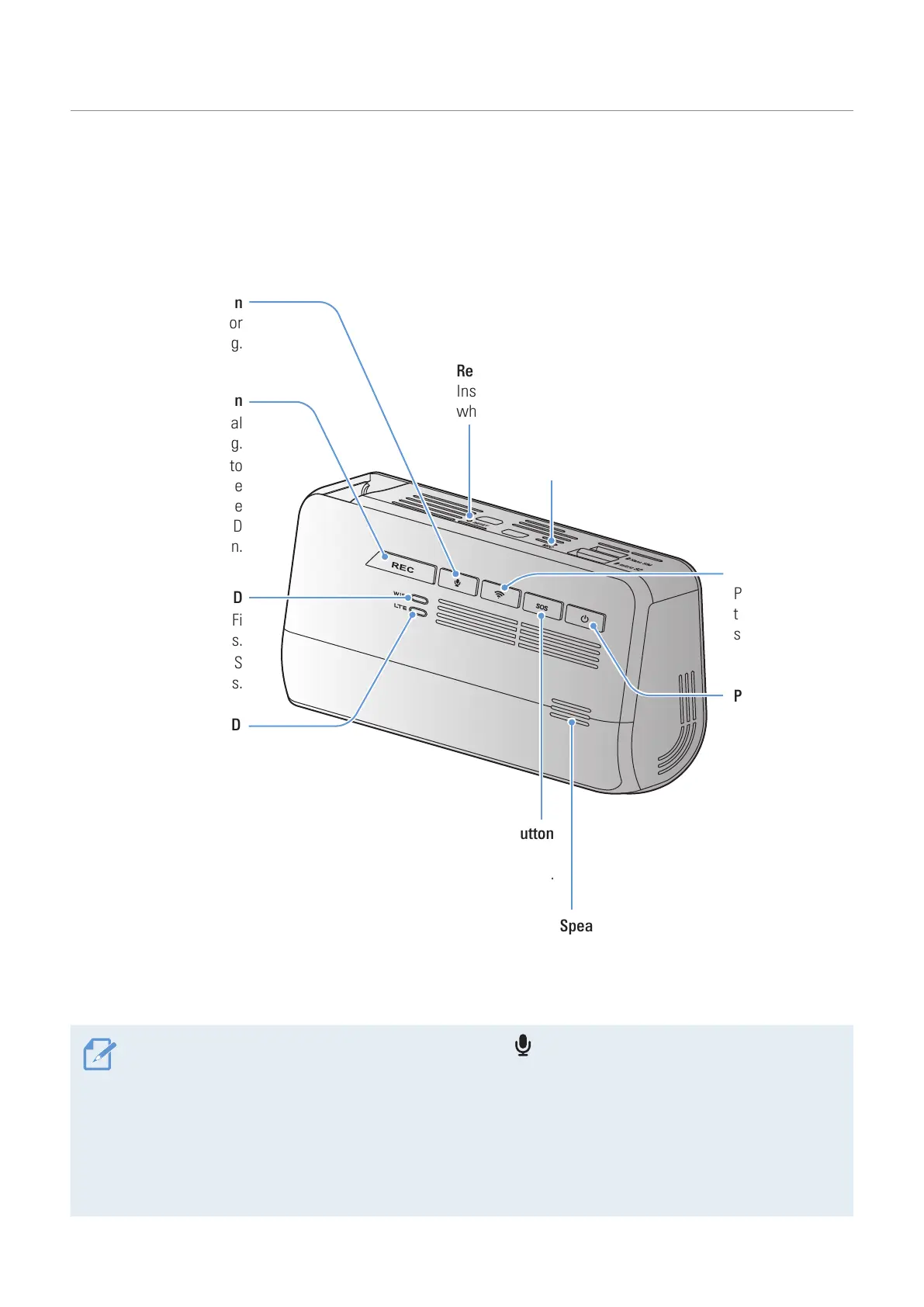
1.2.1 Front camera (main unit) - front view
Speaker
Outputs the voice guide and buzzer sounds
to indicate the product’s status.
Power button
• Press and hold
to turn off the
product.
• Press to turn on
the product.
Wi-Fi button
Press to connect
the product to a
smartphone via
Wi-Fi network.
Voice recording button
Press to enable or
disable voice recording.
Manual recording button
• Press to start manual
recording.
• Press to respond to
the request for device
registration on the
THINKWARE CONNECTED
LTE application.
Wi-Fi LED
• Indicates the Wi-Fi
connection status.
• Indicates the SOS
feature status.
LTE LED
• Indicates the LTE
connection status.
• Indicates the SOS
feature status.
SOS button
Press to upload the recorded footage to the THINKWARE
CONNECTED LTE application when an accident occurs.
Microphone
Used for voice recording.
Reset button
Insert the tip of a sharp object to reset the product
when an error occurs.
• To reset the product, press and hold the voice recording ( ) and manual recording (REC) buttons
simultaneously until you hear beeps.
• When you press the SOS button during an accident, the Wi-Fi LED and the LTE LED turn on and flick
simultaneously.
• According to the data service policy, if you have used all of the SOS recording upload usage times,
pressing the SOS button will save the recorded video to the SD card, but may not upload it to the
THINKWARE CONNECTED LTE application.



 To Next Page