Chapter 5
Expert Configuration
E-DOC-CTC-20050429-0104 v1.0
124
5.3.1 IP Addresses
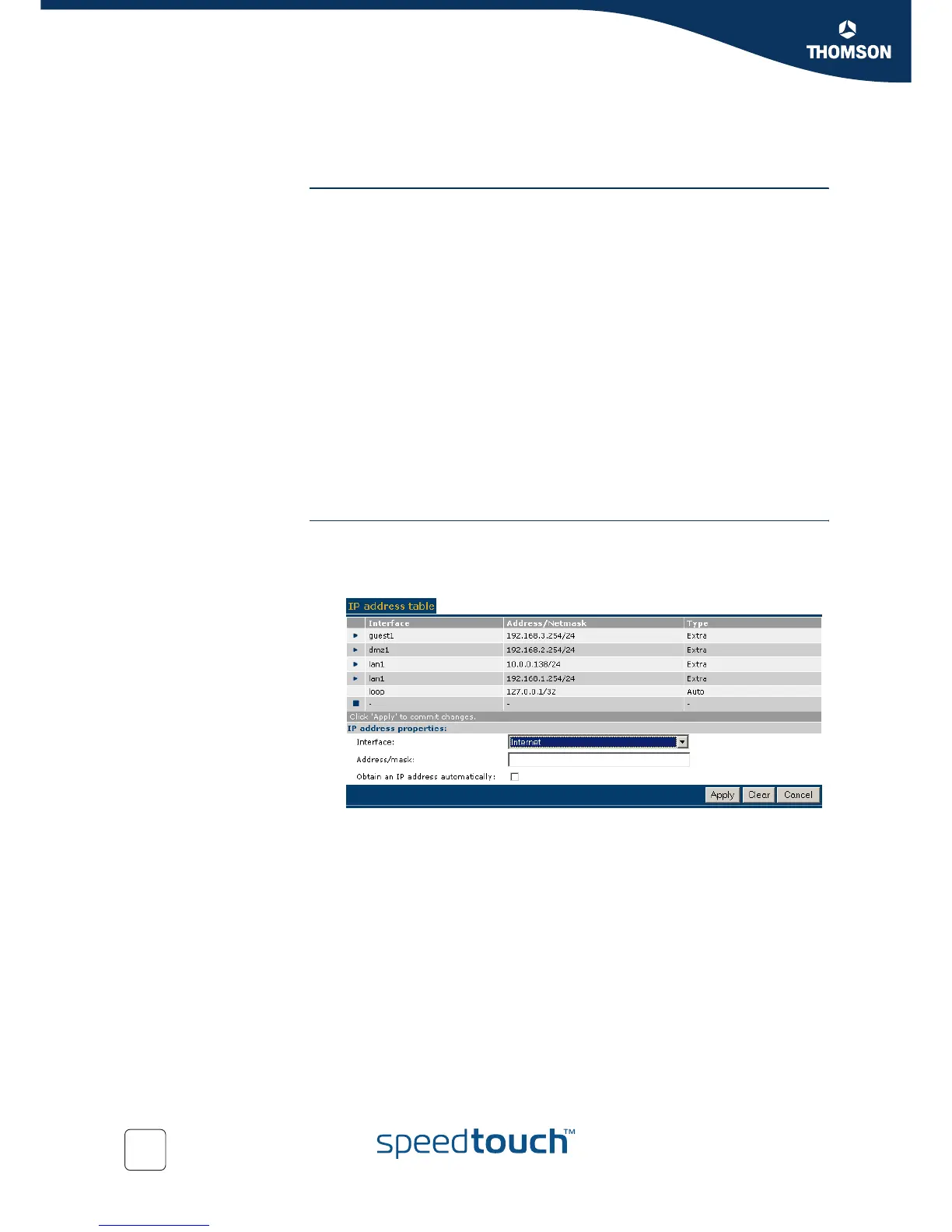
Overview The IP address table shows all IP addresses configured on any of SpeedTouch™’s
interfaces.
In the table following information is provided per IP address:
The Interface to which the IP address applies
The IP address/Netmask (in prefix notation)
The IP address Type, being either:
auto, in case the address has been automatically assigned by the
SpeedTouch™ at startup or via negotiation
extra, in case of a manually configured IP address.
You can also assign additional new IP addresses to the SpeedTouch™ (see Add/
change an IP address).
In case you select an IP address entry, you can:
Make changes to the IP address configuration (see Add/change an IP address)
and click Apply.
Click Delete to delete the IP address.
Add/change an IP
address
To add a new IP address to the SpeedTouch™:
1 Click New.
2 Select the Interface to which the IP address must apply.
3 Either:
Type a valid IP address/mask (in prefix notation).
Select Obtain an IP address automatically.
4 Click Apply to add the IP address.
To change the configuration of an existing IP address:
1 Select the IP address entry.
2 Make your changes.
3 Click Apply.



 To Next Page