Chapter 5
Expert Configuration
E-DOC-CTC-20050429-0104 v1.0
150
5.4.9 Virtual LAN
Concept The concept of VLAN was introduced as a way to solve many of the issues of a large
Layer 2 environment. It controls the traffic on a physical LAN. The physical LAN is
partitioned into multiple virtual LANs. Each VLAN is assigned a number, called the
VID, that identifies it uniquely within the network. Traffic between these systems
stays bottled up within their VLAN.
Although different VLANs use a common physical network, the traffic of each VLAN
is isolated from the other VLANs.
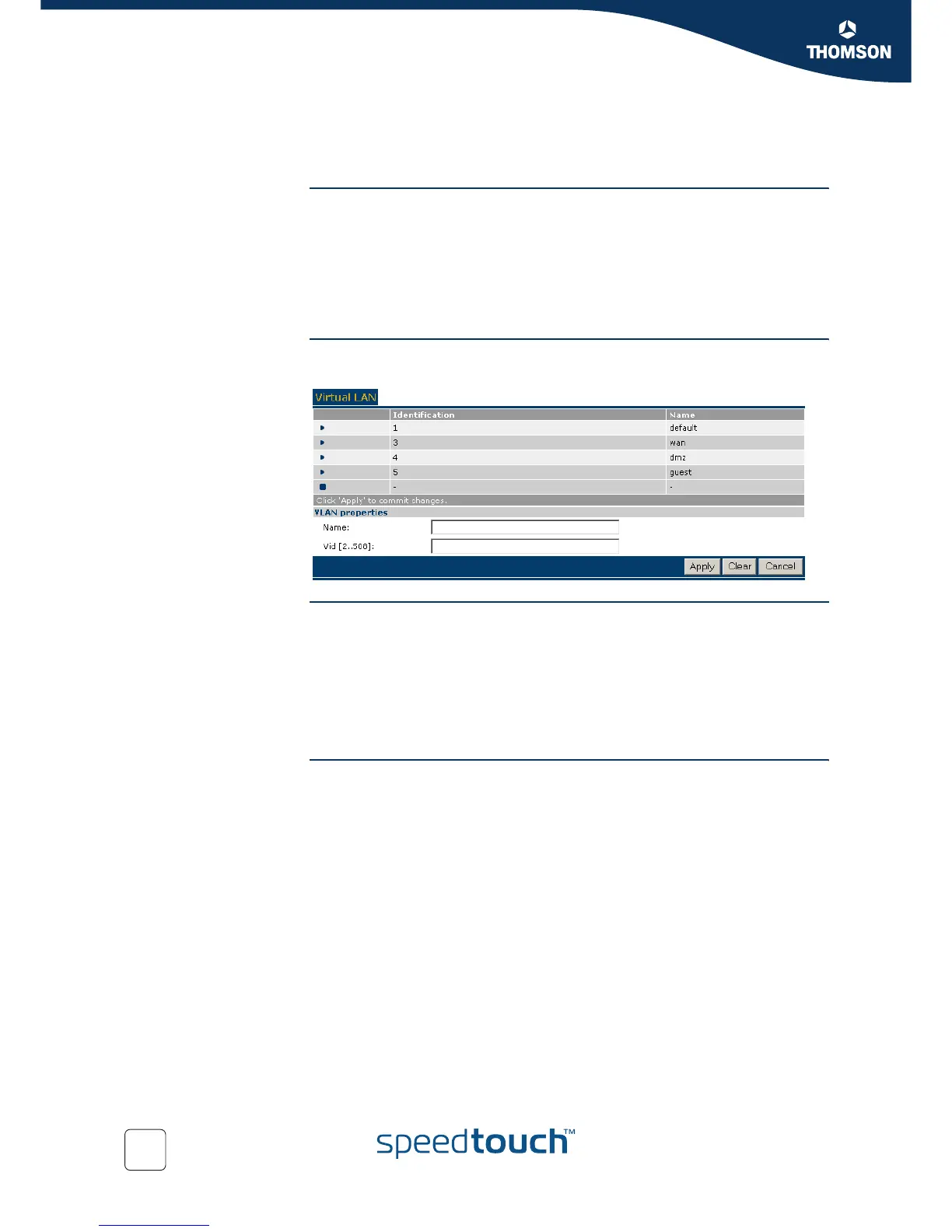
The Virtual LAN page The Virtual LAN page gives you an overview of the Virtual LANs currently defined on
the SpeedTouch™. It also allows you to add new VLANs, and delete existing VLANs.
Creating a new VLAN To add a Virtual LAN:
1 Click New.
2 In the Name box, type a unique name that describes the use of the VLAN.
3 In the VID box, enter the unique VLAN ID to be used for this VLAN.
4 Click Apply to create the VLAN you have defined.
5 Click Save All to make your changes permanent.
Using VLAN The Virtual LANs that are defined can be used in the Ethernet Configuration pages as
described in “5.4.5 Bridged Ethernet”.



 To Next Page