Chapter 7
Software Upgrade
E-DOC-CTC-20050429-0104 v1.0
187
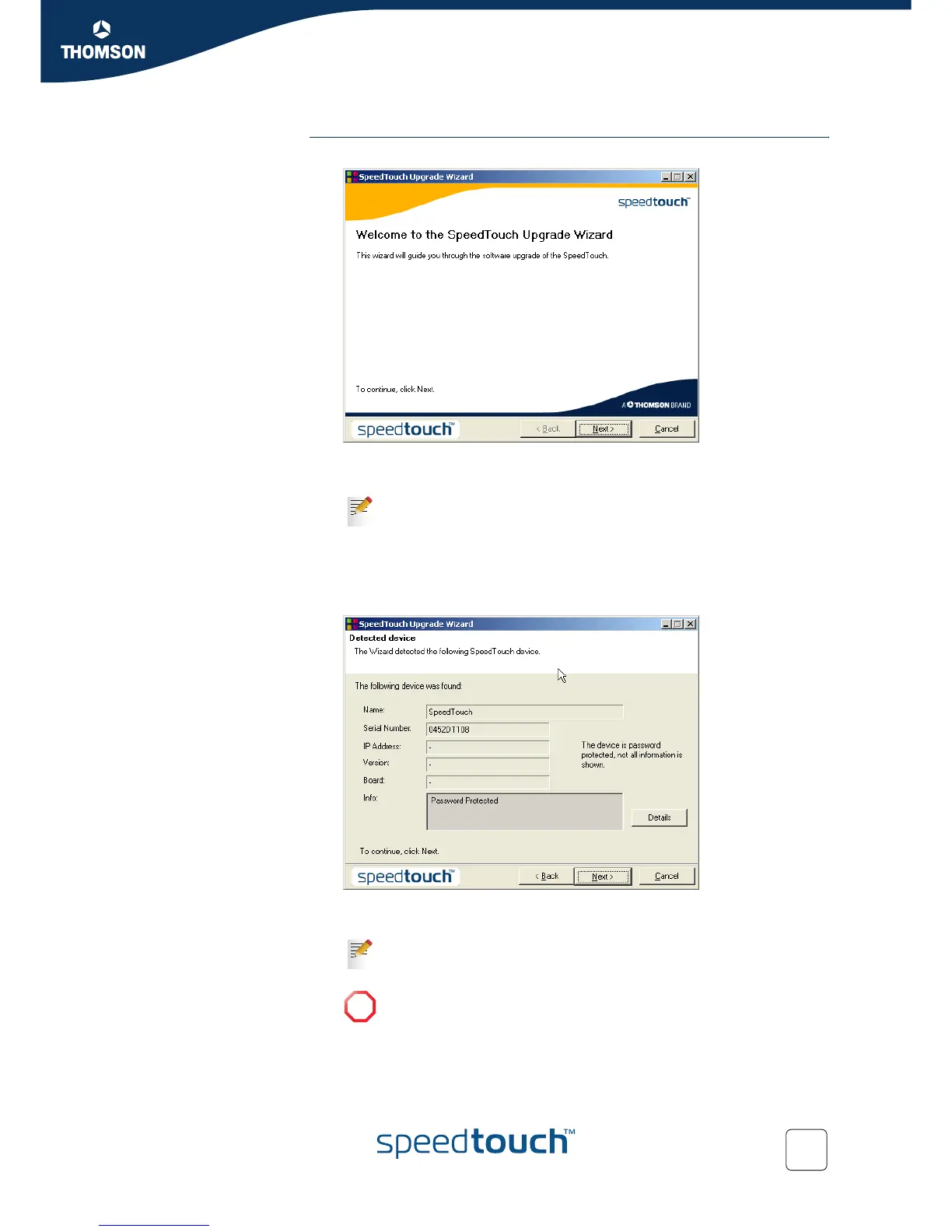
Upgrade procedure 1 In the Welcome to the SpeedTouch Upgrade Wizard window, click Next.
2 The SpeedTouch™ Software License Agreement window appears.
You must accept before continuing. Click Yes to accept.
3 The SpeedTouch™ Upgrade Wizard will search for the SpeedTouch™ on the
network. A progress bar is displayed.
4 The SpeedTouch™ Upgrade Wizard should find your SpeedTouch™ device on
the local network. This is indicated by the following window:
If more than one device is found, a list of available devices will be provided. If
this is the case, select your SpeedTouch™ device and click Next.
5 Enter your SpeedTouch™ security User name and Password.
If you accepted this License Agreement in a previous upgrade, this
window will not be shown.
If the wizard does not find any SpeedTouch™ on the network an error
window appears, refer to “8.1.3 Upgrade Troubleshooting” on
page 195.
!
It is NOT possible to upgrade your SpeedTouch™ over a wireless
connection.



 To Next Page