Chapter 6
PPPoE Relay
E-DOC-CTC-20051017-0167 v1.0
53
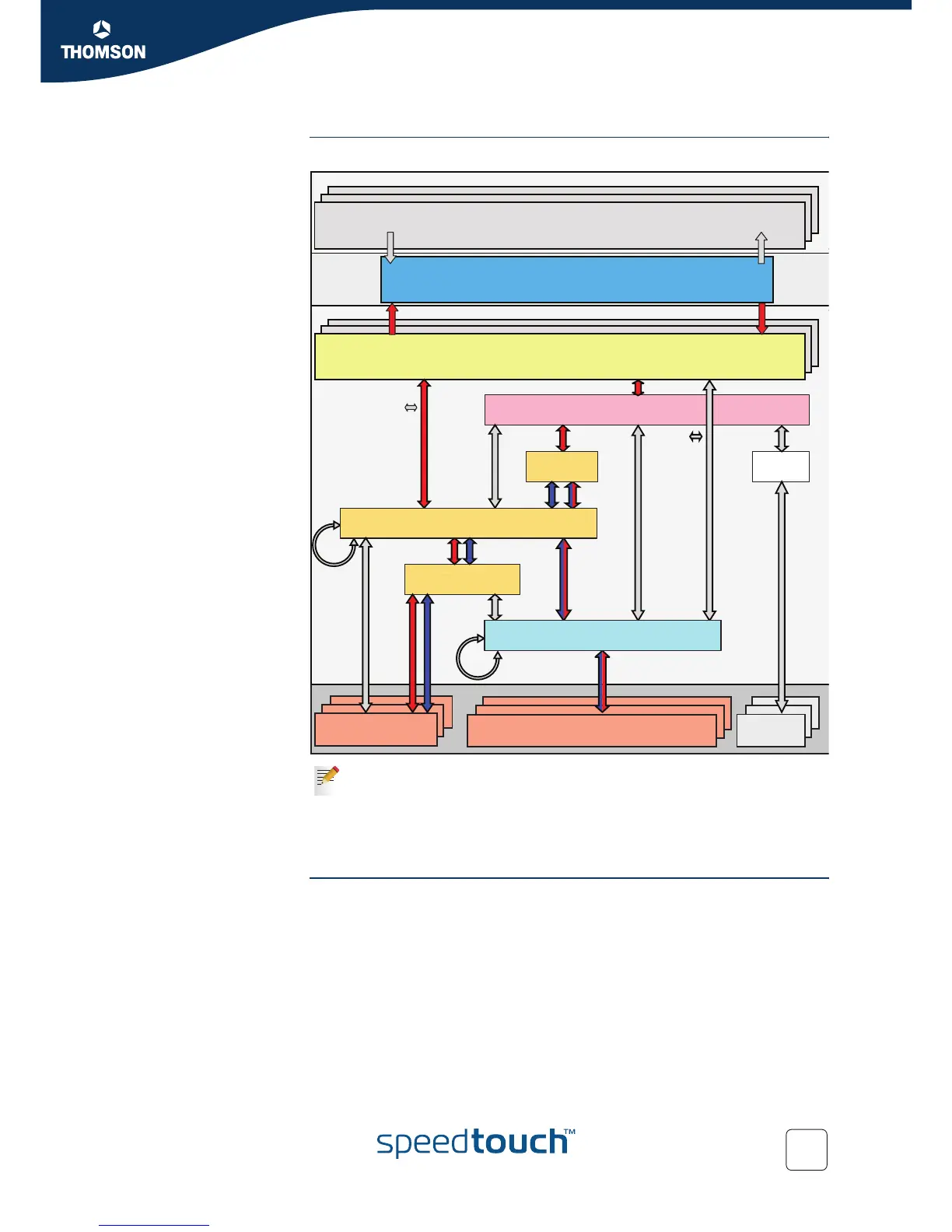
Interface road map The figure below shows the interfaces which have to be configured to use the relay.
Configuration Procedure Proceed as follows to configure the PPPoE relay:
1 Create, configure and attach/connect the ATM interface.
2 Create, configure and attach/connect the Ethernet interface.
3 Put the Ethernet interfaces into the relay.
4 Create, configure and attach/connect the PPP interface.
5 Control your configuration.
Interfaces connected with red arrows correspond with the interfaces needed
to configure an embedded PPP client on the SpeedTouch™ (red).
Interfaces connected with blue arrows correspond with the interfaces
needed to configure a host PPP client on a PC on the LAN (blue).
Interfaces connected with double coloured arrows are interfaces used by
both parts of the setup.
PPP
PPPoA
IPoA
iARP
PPPoEIPoE /
IPoEoA
ARP
PPPoE RELAY
Multilink
PPP
EthoA
IP Interface(s)
IP Forwarding
Physical Ports
(Eth, USB, WLAN, BT...)
ATM VP/VC
(Over DSL / ATM-F)
ISDN
LoopBack
Ethernet Interface(s)
Bridge
VLAN
ATM Bundle
ATM Interface(s)















 To Next Page