Chapter 10
Routed PPPoI
E-DOC-CTC-20051017-0167 v1.0
85
10.2.1 How to Configure the ISDN Dial-In Connection
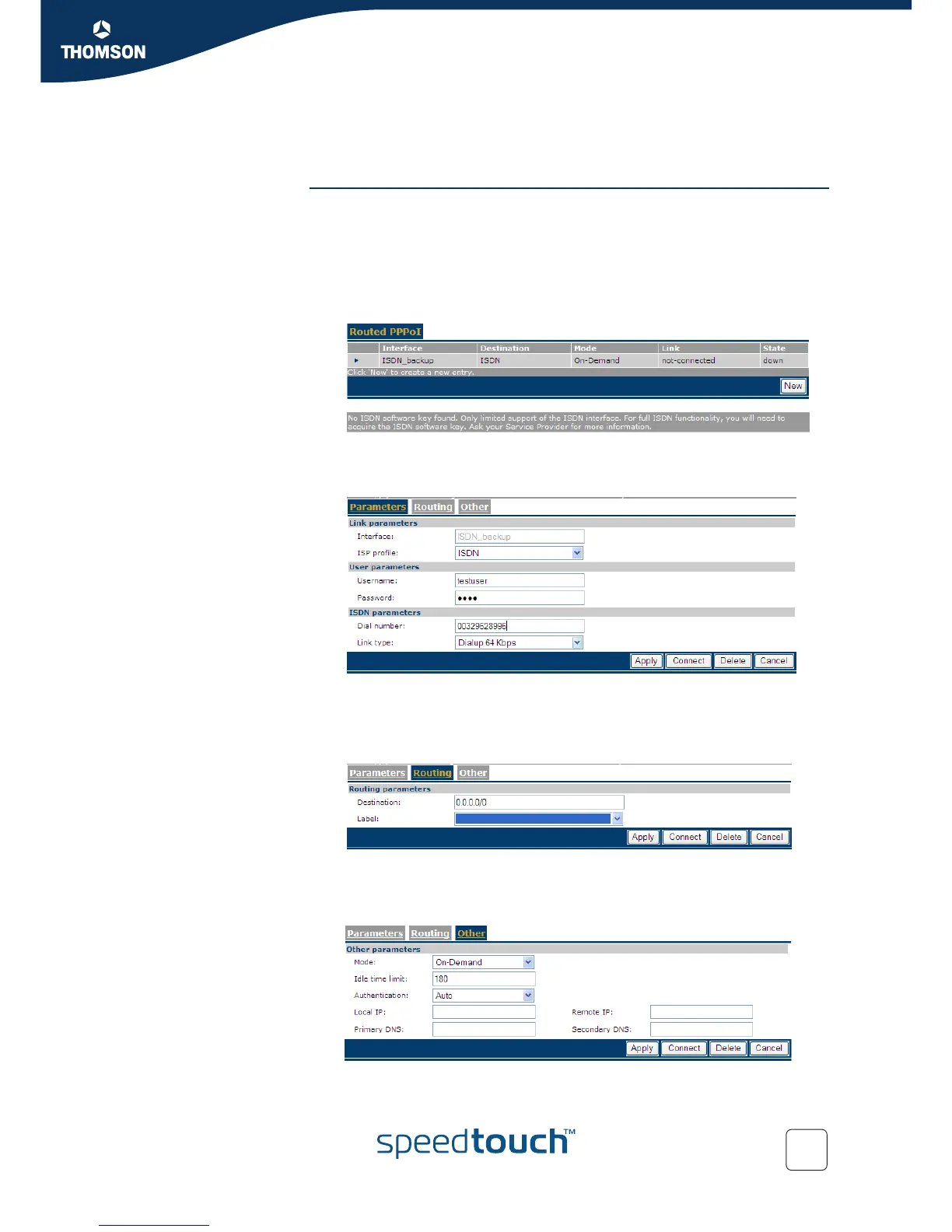
Via the Web Interface Proceed as follows to configure the ISDN dial-in connection via the Web interface:
1 Go to Expert mode
2 Click Connections
3 Click Routed PPoI
Result: on the page that appears, you see a predefined connection called ISDN
backup.
4 Click the arrow to open the configuration pages for this connection.
Result: the Parameters page appears:
5 Fill in the user name and password for the connection, as well as the dial-in
number. Also select the link type. Click Apply.
6 Click Routing.
Result: the Routing page appears:.
7 If necessary, fill in the destination and a label. Click Apply.
8 Click Other.
Result: the Other page appears:















 To Next Page