Chapter 8
PPTP-to-PPPoA relaying
E-DOC-CTC-20051017-0167 v1.0
72
8.1.1 Using the Windows XP Embedded PPP Client
Configuring a Dial-In
connection
Proceed as follows to create a new Dial-In connection on a Windows XP platform:
1 On the Start menu, click Control Panel.
2 In the Control Panel window, double-click Network Connections.
3 In the Network Tasks menu, click Create a new connection.
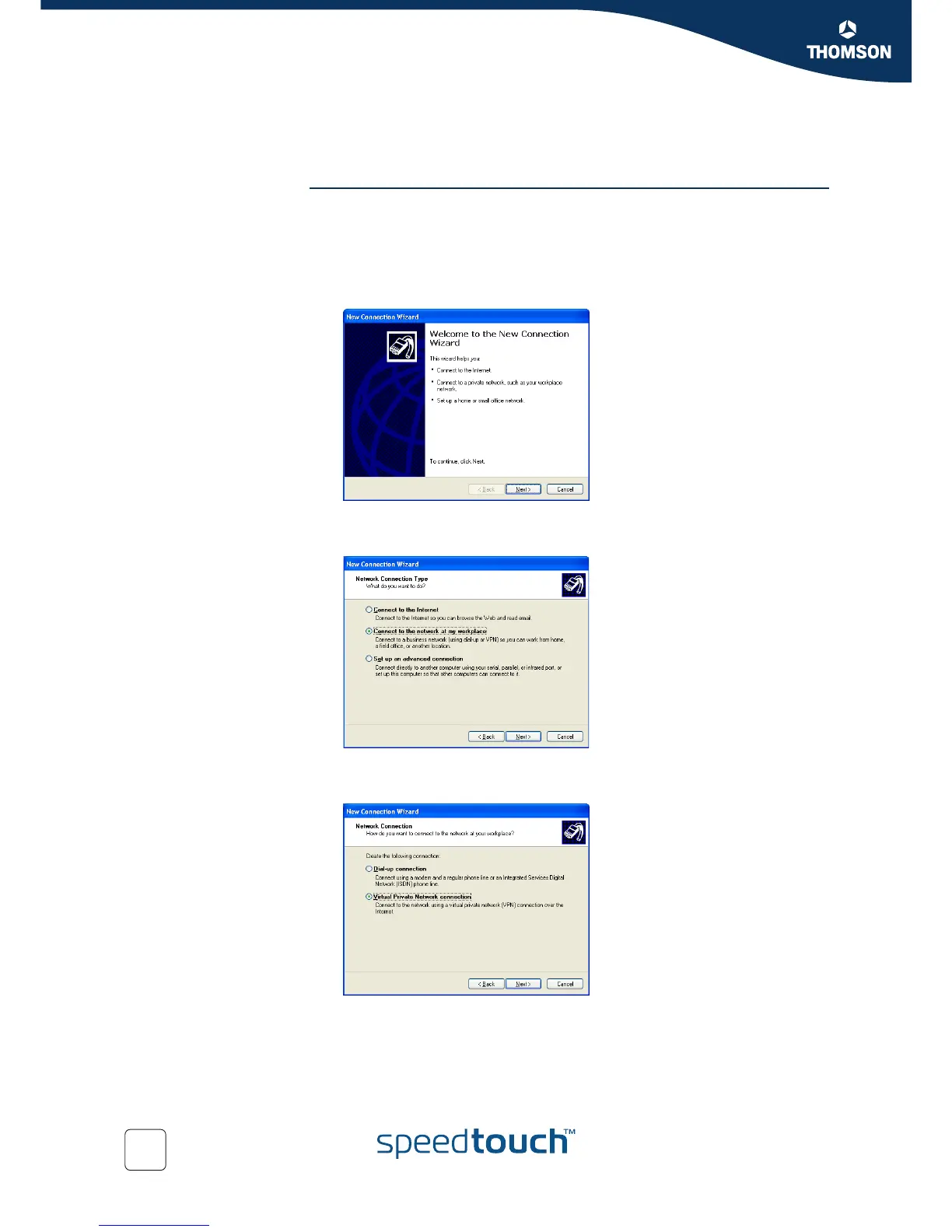
4 The New Connection Wizard starts:
Click Next.
5 Select Connect to the network at my workplace.
Click Next.
6 Select Virtual Private Network Connection.
Click Next.















 To Next Page