25
K-Cube Piezo Driver
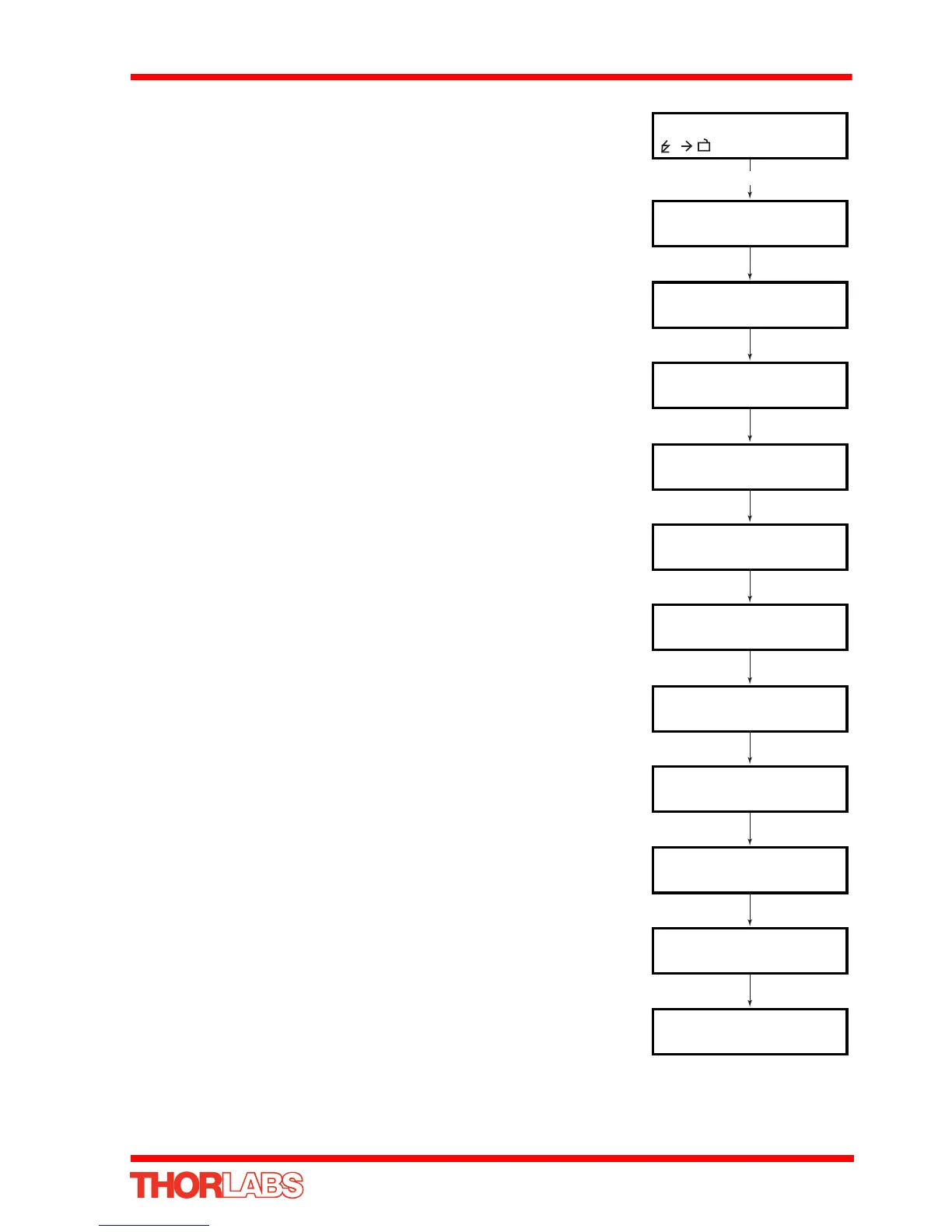
4.4.1 Menu Overview
Press the MENU button
Use the wheel to scroll through the menu options
Press the MENU button to enter a particular option
Enable/disable the drive output - see Section 4.4.2.
Set the max drive voltage - see Section 4.4.3.
Set open loop or closed loop mode - see Section 4.4.4.
Set the analogue input source - seeSection 4.4.5.
Set the wheel/joystick mode - seeSection 4.4.7.
Set the wheel/joystick parameters - seeSection 4.4.8.
Set the teach voltages - see Section 4.4.9.
Disable the wheel - see Section 4.4.10.
Set the display brightness - see Section 4.4.11.
Set the display timeout period - see Section 4.4.12.
Voltage: 0.00V
75V N V
Menu options
Use wheel
Menu options
1 HV output
Menu options
2 Voltage Range
Menu options
3 Feedback mode
Menu options
4 Analogue input
Menu options
5 Joystick mode
Menu options
6 Joystick menu
Menu options
7 Teach voltage
Menu options
8 Wheel lock
Menu options
9 Brightness
Menu options
10 Disp.Timeout
MENU














 To Next Page