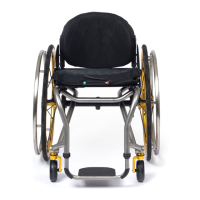
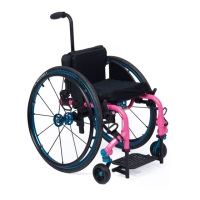
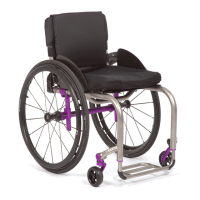
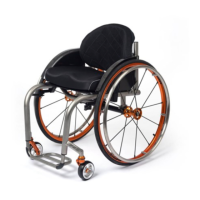
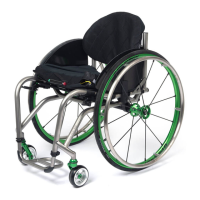
2GX/AERO X Owner’s Manual
OM_2GX/AERO X_0413RevA
viii
ANGLE ADJUSTABLE FOLD DOWN BACKREST 4-1
Folding the Backrest 4-1
Unfolding the Backrest 4-1
Changing the Backrest Angle 4-2
Adjusting the Backrest Height 4-3
ANGLE ADJUSTABLE FOLD DOWN BACK (Adjustable Depth) 4-3
Folding the Backrest 4-3
Unfolding the Backrest 4-3
Changing the Backrest Angle 4-4
Adjusting the Backrest Height 4-4
Adjusting the Depth of the Backrest 4-4
HEIGHT ADJUSTABLE PUSH HANDLES 4-4
Adjusting the Height 4-4
FOLD DOWN PUSH HANDLES 4-4
CHAPTER 5: ARMRESTS 5-1
SWING AWAY ARMREST 5-1
Adjusting the Height 5-1
Adjusting the Height of the Receiver 5-2
DESK ARM WITH RIGID SIDE GUARD AND DESK ARM WITH RIGID SIDE GUARD AND
TRANSFER LOOP 5-2
Adjusting the Armrest Height 5-2
Removing 5-2
Replacing 5-2
SWING AWAY- FLIP BACK ARMREST 5-3
Adjusting the Armrest Height 5-4
Adjusting the Armrest Angle 5-4
Locking the Armrest in Place (Adjustable Depth) 5-5
CHAPTER 6: SIDE GUARDS 6-1
CLOTH SIDE GUARDS 6-1
Removing/Replacing 6-1
RIGID REMOVABLE AND QUAD REMOVABLE SIDE GUARDS (Aluminum and Carbon Fiber).6-1
Using Rigid Side Guards 6-1
Adjusting 6-2
Removing 6-2
Reinstalling 6-2
FOLD-DOWN RIGID SIDE GUARDS (Aluminum and Carbon Fiber) 6-2
Using Fold-Down Side Guards 6-2
Removing 6-3
Reinstalling 6-3
ALUMINUM FENDERED SIDE GUARDS 6-3
Mounting 6-3
CHAPTER 7: BACK UPHOLSTERY, SEAT UPHOLSTERY AND
SEAT CUSHIONS
7-1
PADDED NYLON BACK UPHOLSTERY 7-1
Replacing 7-1
TENSION ADJUSTABLE BY STRAP BACK UPHOLSTERY 7-1
Adjusting the Tension 7-1
Replacing 7-2
VELCRO
®
-STYLE ADJUSTABLE BACK UPHOLSTERY 7-2
Adjusting the Tension 7-2
Replacing 7-3


 To Next Page