2-3
Chapter 2
INDICATOR STATUS OF REMOTE MICROPHONES
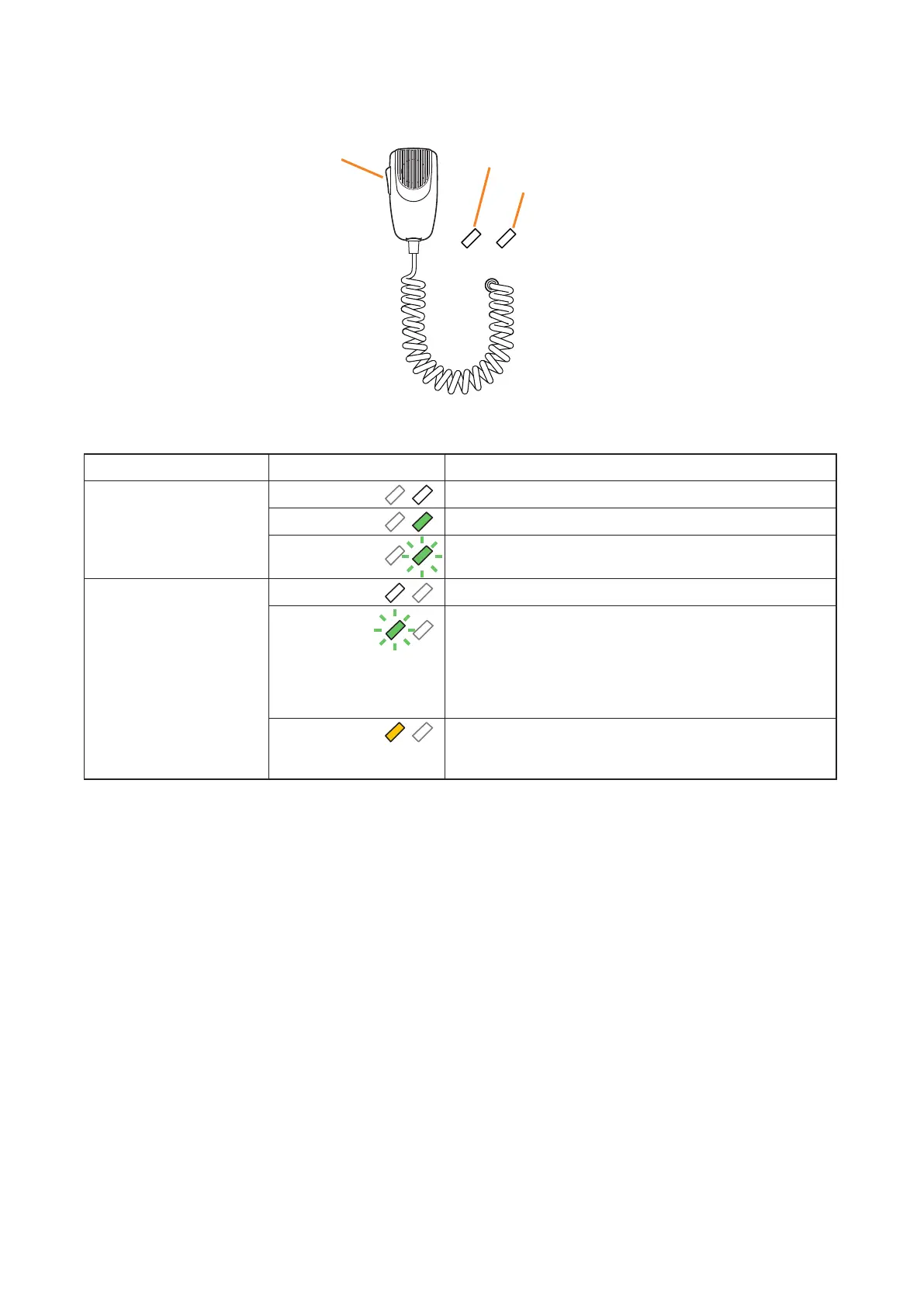
1.2.TalkKeyIndicators
Broadcast Status Indicator
Microphone Indicator
Talk Key
The meanings of the 2 indicators located below the status and selection indicators are as follows:
Indicator Status Meaning
Microphone Indicator Unlit
Microphone not in use
Lights green
Microphone in use
Flashes green
Chime broadcast in progress from the primary Remote
Microphone.
Broadcast Status Indicator Unlit
Zone not in use (microphone announcement possible)
Flashes green
A part of zones or the entire zone selected by the primary
Remote Microphone is occupied by a broadcast from
another device (secondary Remote Microphone, chime,
etc.), or a broadcast from the primary Remote Microphone
is in progress in a part of the zones selected by the primary
Remote Microphone.
Lights yellow
All zones selected by the primary Remote Microphone
are engaged by a broadcast from the primary Remote
Microphone.



 To Next Page