2-35
Chapter 2
INDICATOR STATUS OF REMOTE MICROPHONES
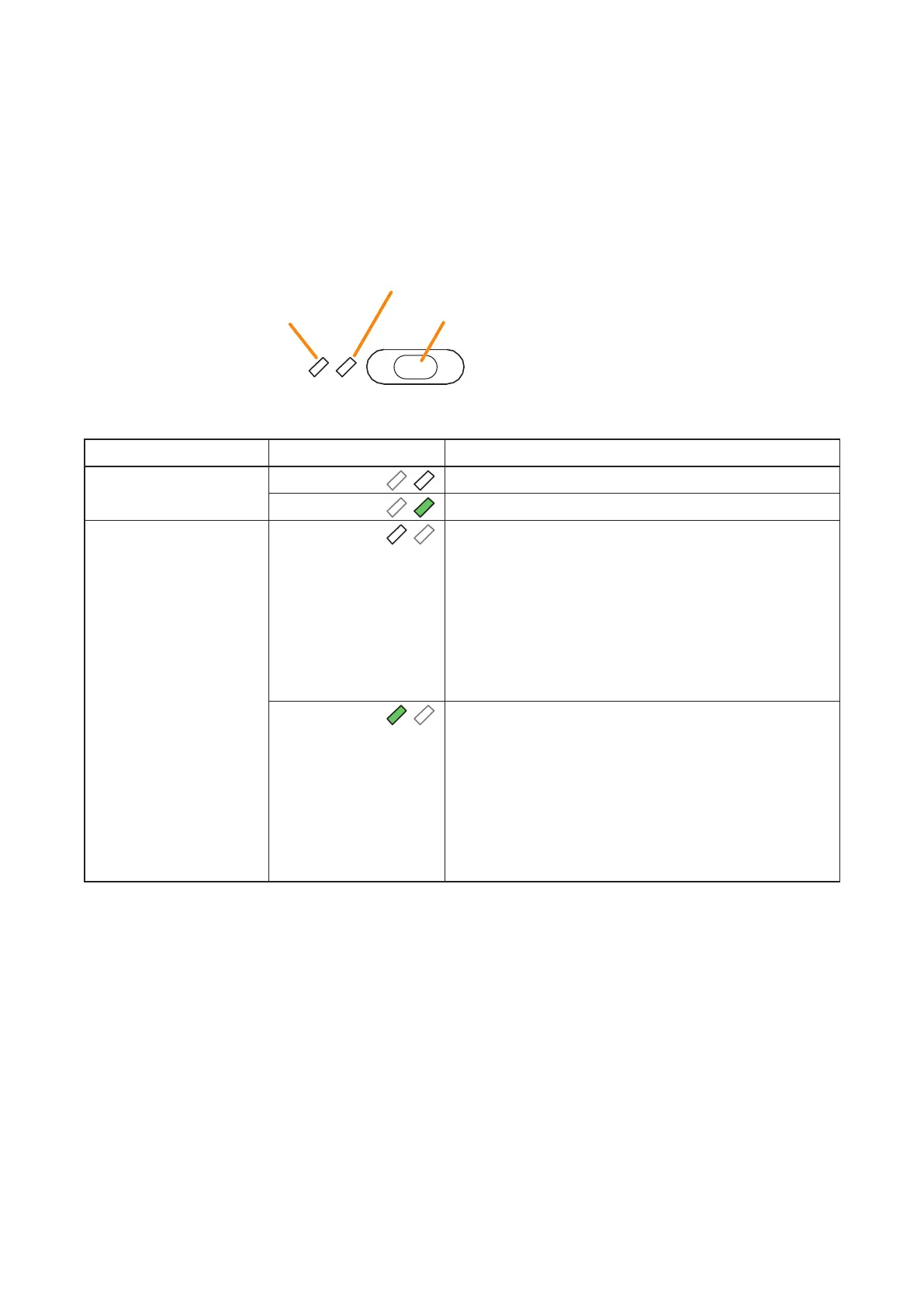
2.21.IndicatorStateattheTimeofInputVolumeAdjustment(Pulse)
When the Input volume adjustment (Pulse) function is assigned to the function key, pressing this key increases
or decreases the volume level of the preset Input channel by the set amount. Sound adjustment status can be
checked by the indicators to the left of the function key.
Note
For instructions on assigning functions to function keys, see the separate Setting Software Instructions, "EVENT
SETTINGS."
The meanings of the 2 indicators next to the Function key are as follows:
Indicator Status Meaning
Selection indicator Unlit
When the function key is not pressed
Lights green
When the function key is pressed
(as long as it is pressed)
Volume Indicator Unlit In the case the set value*
1
of the volume adjustment is
positive (volume increase):
When the current volume adjustment value of the input
channel assigned to this key is less than the initial value*
2
In the case the set value*
1
of the volume adjustment is
negative (volume decrease):
When the current volume adjustment value of the input
channel assigned to this key is greater than the initial
value*
2
Lights green In the case the set value*
1
of the volume adjustment is
positive (volume increase):
When the current volume adjustment value of the input
channel assigned to this key is greater than the initial
value*
2
In the case the set value*
1
of the volume adjustment is
negative (volume decrease):
When the current volume adjustment value of the input
channel assigned to this key is less than the initial value*
2
*
1
Value set in "Event setting" of the VX-3000 Setting Software.
*
2
Volume set in "Sound settings (input)" of the VX-3000 Setting Software.
Selection Indicator
Volume Indicator
Function key (Input volume adjustment [pulse] key)



 To Next Page