2-12
Chapter 2
INDICATOR STATUS OF REMOTE MICROPHONES
1.13. Indicator State at the Time of Emergency Sequence Stop
When the system is set to "Emergency," the emergency sequence stop function can be assigned to the Function
key.
Pressing the function-assigned key causes all the emergency broadcast patterns including the set emergency
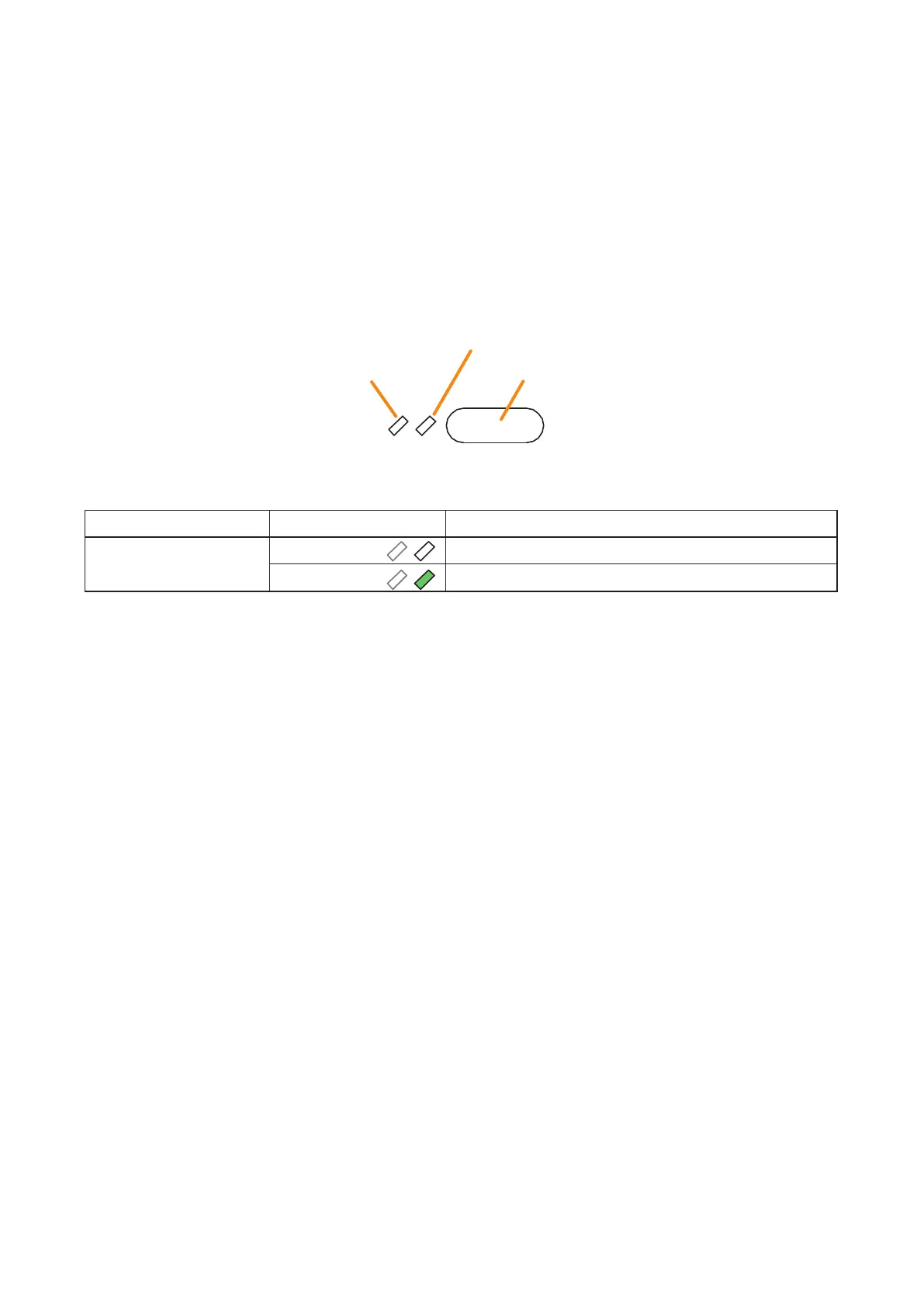
sequence to stop. The indicator to the left of the key lights only when the key is pressed.
Notes
• Fortheemergencyfunctionsettings,seetheseparateSettingSoftwareInstructions,"BASICSETTINGS."
• Forinstructionsonassigningfunctionstothefunctionkeys,seetheseparateSettingSoftwareInstructions,
"EVENT SETTINGS."
(Always unlit, not used)
Key ON/OFF Indicator
Function key (Emergency sequence stop key)
The meanings of the 2 indicators next to the Function key are as follows:
Indicator Status Meaning
Key ON/OFF Indicator Unlit
When the function key is not pressed
Lights green
When the function key is pressed (as long as it is pressed)



 To Next Page