2-31
Chapter 2
INDICATOR STATUS OF REMOTE MICROPHONES
2.15.IndicatorStateattheTimeofEmergencyReset
When the system is set to "Emergency" and the type of the RM-300X to "Emergency" or "Emergency/General,"
the emergency reset function can be assigned to a function key.
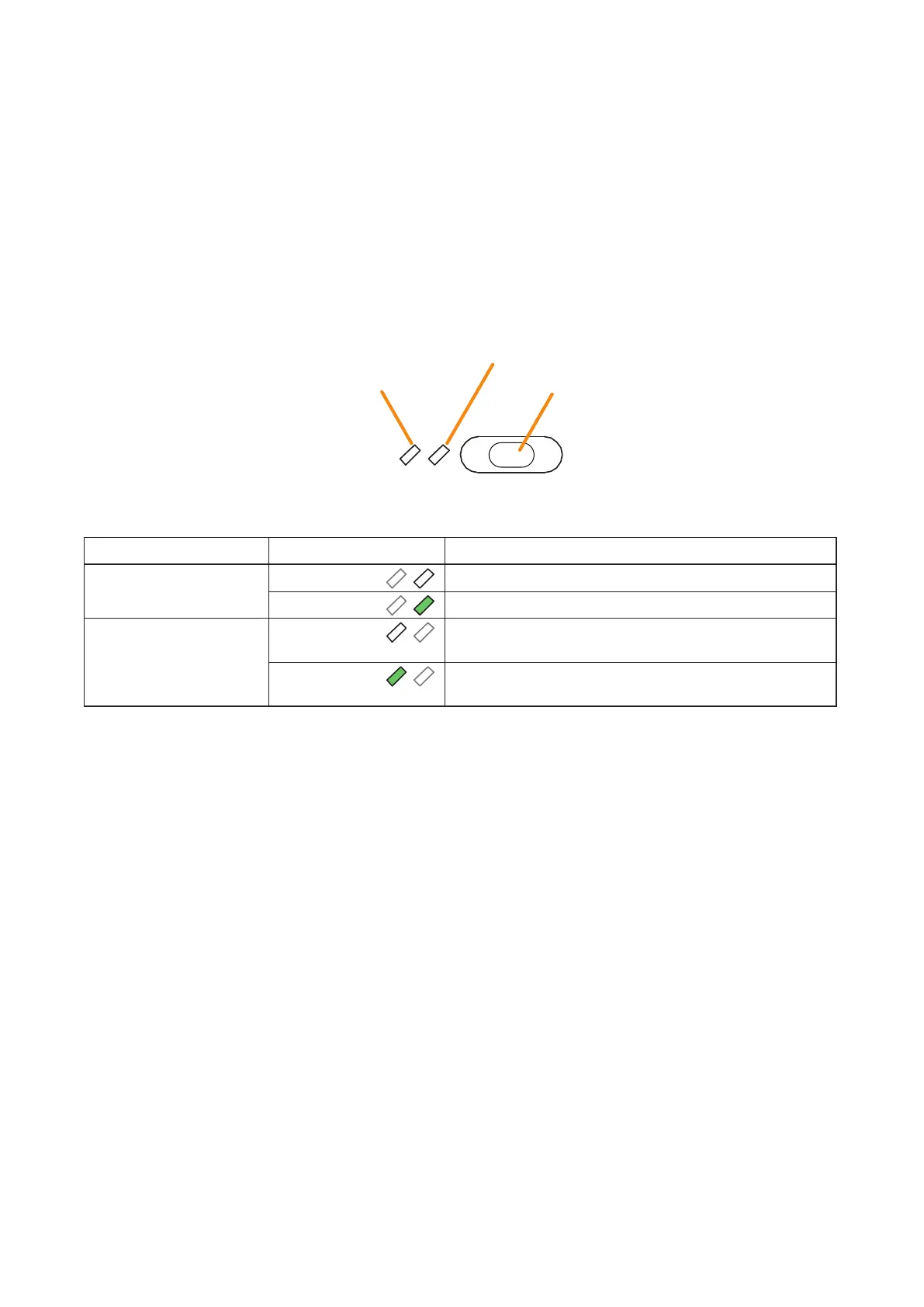
Assigning this function to the Function key causes the 2 indicators next to the Function key to indicate the
emergency reset state.
Notes
• Fortheemergencyfunctionsettings,seetheseparateSettingSoftwareInstructions,"BASICSETTINGS."
• ForthetypeoftheRM-300Xsettings,seetheseparateSettingSoftwareInstructions,"UnitConguration
Settings."
• For instructions on assigning functions to function keys, see the separate Setting Software Instructions,
"EVENT SETTINGS."
Restoration EV Message State Indicator
Key ON/OFF Indicator
Function key (Emergency reset key)
The meanings of the 2 indicators next to the Function key are as follows:
Indicator Status Meaning
Key ON/OFF Indicator Unlit
When the function key is not pressed
Lights green
When the function
key is pressed (as long as it is pressed)
Restoration EV Message
State Indicator
Unlit Restoration Message broadcast assigned to the function key
is being stopped.
Lights green
Restoration Message broadcast assigned to the function key
is being activated.



 To Next Page