3-21
Chapter 3
OPERATION
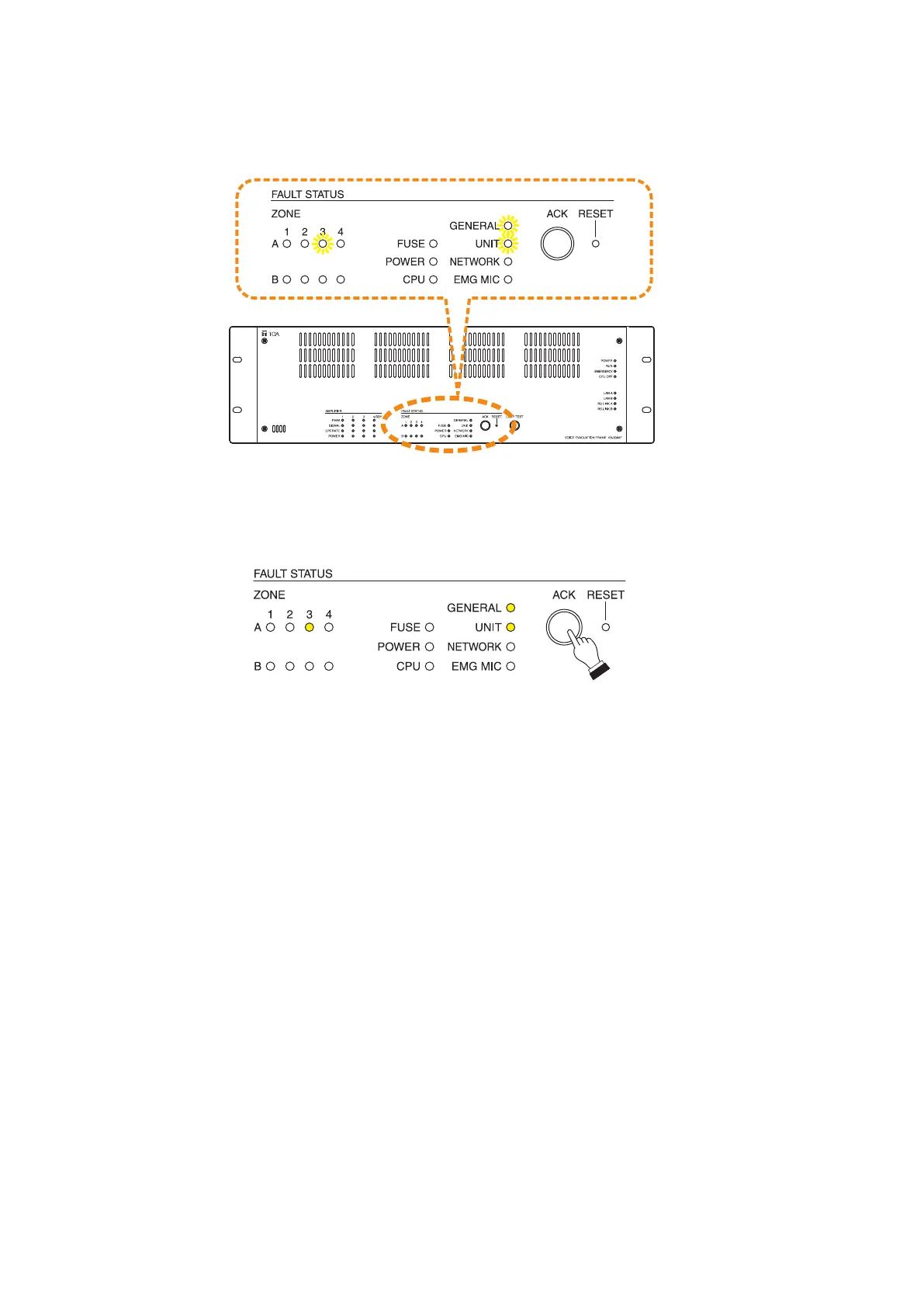
5.4.VX-3004F'sOperationExample
When the failure is detected, the built-in buzzer sounds, and the General fault indicator on the front panel
flashes.
VX-3004F
Flashes yellow
Step 1. Press the Fault ACK key to acknowledge the failure.
The buzzer stops sounding, and the General fault indicatorswitchesfromashingtosteadyon.
Yellow
Notes
• Whenthefailurereceptionfunctionhasbeenassignedtothecontrolinputterminalontherearpanelofthe
VX-3004F, VX-3008F, or VX-3016F, it is also possible to receive a system failure via control input. For details,
see the separate Setting Software Instructions, "EVENT SETTINGS."
• ItisalsopossibletoreceiveasystemfailurebyshortingtheControlinputterminalsontherearpanelofthe
VX-3004F, VX-3008F, or VX-3016F.
Step 2. Locate the cause, then remove it.
Connect a PC to the VX-3004F and read out the log data using the VX-3000 Setting Software.
For details, see the separate Setting Software Instructions, "Maintenance."
Confirm the cause of failure or abnormality on the log data (in this example, the log data that the
speaker terminal for the zone 2F is open state is listed), then fix the fault part.
Note
Operation of failure indication differs depending on which the Failure indication setting is set to "Auto
reset" or "Manual reset" on the VX-3000 Setting Software.
[When set to "Auto reset"]
For most failure indications, the failure LED automatically goes off when the cause has been corrected.
For certain other failure indications, such as power amplifier failure or speaker shorts, the LED does
not automatically go off. In such cases, Fault reset key needs to be pressed.
[When set to "Manual reset"]
The failure indication is retained until the Failure reset key is pressed even when failure is restored.



 To Next Page