3-23
Chapter 3
OPERATION
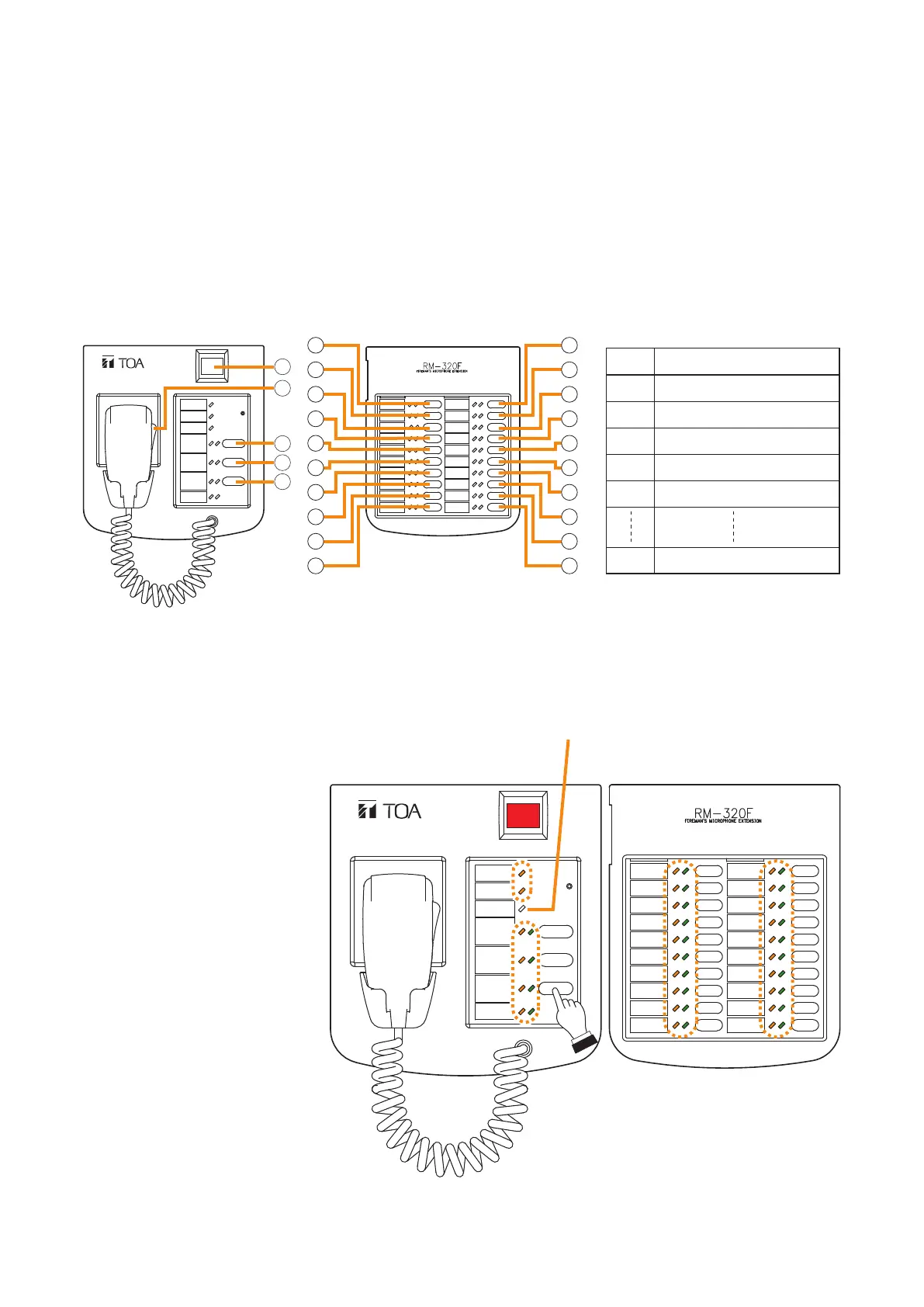
6. LAMP TEST
Executing the lamp test at each of the VX-3004F, VX-3008F, VX-3016F, RM-200SF, RM-300X, RM-320F, and
RM-210F causes its all indicators to light up and the built-in buzzer to sound, permitting the operation test for
the indicators and speaker.
6.1.RemoteMicrophone'sOperationExample
[RemoteMicrophone'sFunctionkeysetting]
FIREMAN'S MICROPHONE
RM-200SF
RM-200SF RM-320F
1
2
3
4
5
6
7
8
9
10
11
12
13
14
15
16
17
18
19
20
21
22
23
24
25
Note
For instructions on assigning functions to function keys, see the separate Setting Software Instructions, "EVENT
SETTINGS."
Step 1. Continuously press the
Lamp Test key (5).
All the indicators except
the CPU indicator light
and the buzzer built in the
RM-200SF sounds.
Step 2. Conrmthattheindicators
and speaker operate
correctly as in Step 1.
Step 3. Release the Lamp Test
key(5)to nishthelamp
test.
FIREMAN'S MICROPHONE
RM-200SF
RM-200SF RM-320F
CPU indicator
Key Set function
(1) (Not set)
(2) Talkkey(xed)
(3) Zone Selection Clear
(4) Failure Output Reset
(5) Lamp Test
(25) Failure Output Receipt



 To Next Page