3-27
Chapter 3
OPERATION
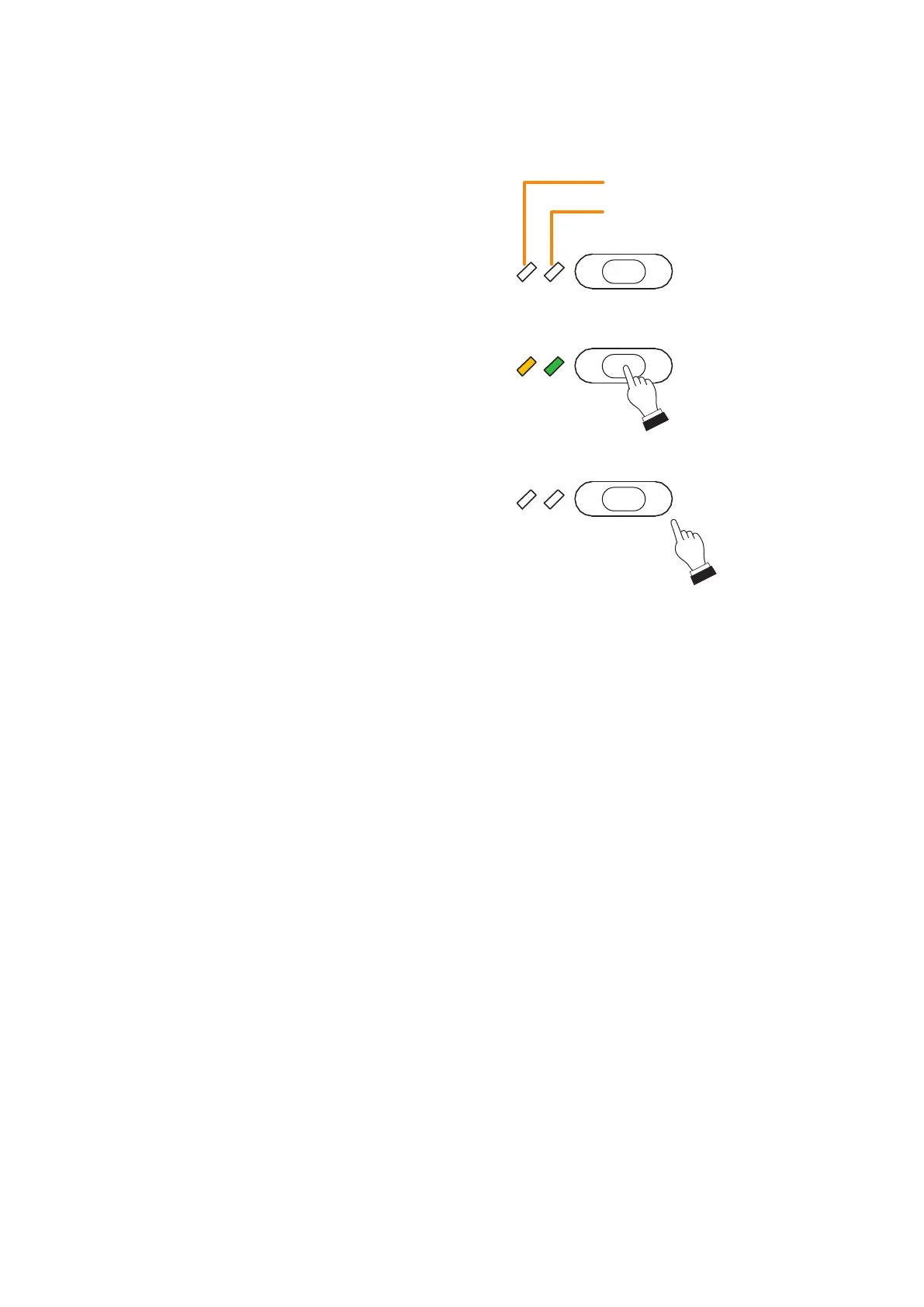
Step 1. Hold down the Intended control output (level)
key for the time you wish to activate the control
output pattern while the Control status indicator
is unlit.
The Control output pattern assigned to the
Intended control output (level) key is activated
and the Control status indicator lights yellow.
Note
Operation is invalid even if you press the
Intended control output (level) key when the
Control status indicator is lighting yellow though
its key is not pressed. This is such a case when
the control output pattern is being activated by
other Event.
Step 2. To stop the control output pattern activation,
release the Intended control output (level) key.
The Control status indicator will go off.
7.4.IntendedControlOutputOperation(Level)
The intended control output of the VX-3000F can be operated using the Remote microphone's function key.
Control status indicator
Selection indicator
Function key
R10
(Intended Control Output
[Level] key)
Function key
R10
Green
Function key
R10
Yellow
Hold down.



 To Next Page