13
Tobii Glasses Eye Tracker
Charging the Recording Assistant battery
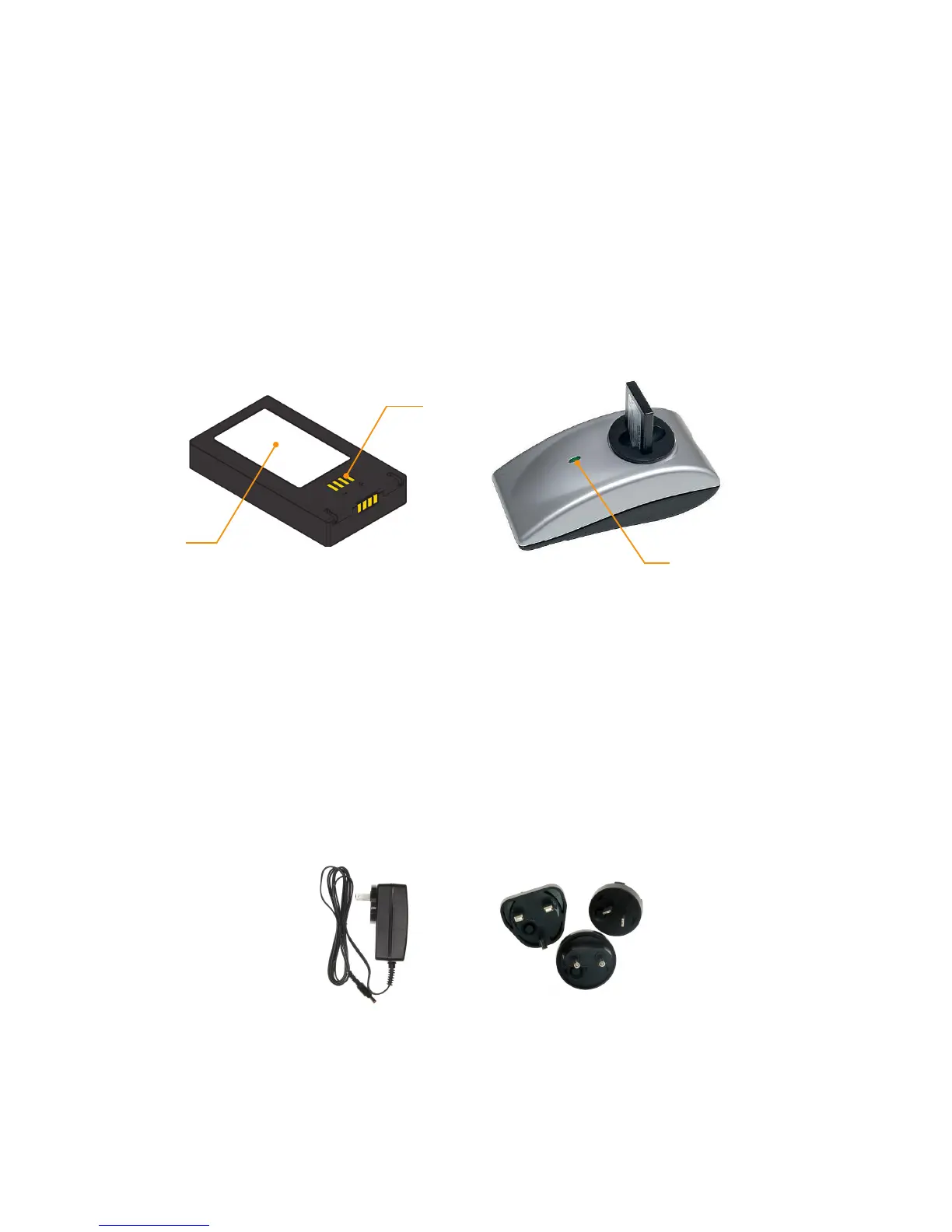
Connect the charger’s power cable to the back of to the charger and connect the other end to a power outlet. The
LED indicator should turn green. Place the battery with the label facing the LED indicator of the charger. The LED
indicator will now show the charging status of your battery: Blinking orange for the initial charge and solid orange
for the remaining charging period, the LED will turn green during the last phase of charging (95-100% charged),
indicating a fully charged battery.
Charging the Recording Assistant battery will take a maximum of 3 hours to reach a full charge using the supplied
charger. However, depending on the residual charge left in the battery it may take less time.
Label
Connection points
A battery placed in the Recording Assistant will also charge when the AC adapter is connected to the Recording
Assistant. To connect the AC adapter, simply twist the Power Socket Adapter that came with your Tobii Glasses
clockwise on the AC adapter and plug it into the power socket before connecting it to the Recording Assistant.
Charging using the AC adapter will, however, take considerably more time than charging using the supplied
dedicated battery chargers. To store the AC adapter again, press the button on the Power Socket Adapter and twist
counterclockwise to release it.
Battery
Battery charger
LED indicator
Power Socket AdapterAC Adapter
Battery life
Battery life is dependent on usage. A fully charged battery can provide up to 70 minutes of use. When Tobii Glasses
are not recording, the battery will consume only slightly less energy. It is recommended that you keep the Recording
Assistant connected to the AC adapter. Keeping the AC adapter connected will also (slowly) charge the battery,
effectively extending the battery life during a study. A low battery warning will be shown on the screen when the
battery reaches the final 10-20% of residual charge. Replace the battery as soon as possible or connect the AC
adapter as soon as possible. The Recording will close any ongoing recording and automatically shut down the
Recording Assistant when the battery is critically low.
Expected battery life will increase after a few charging cycles (empty to full). Tobii optimizes the shipped batteries
beforehand, although some additional charging cycles may still be needed to reach full capacity.
Charging the Recording Assistant battery while in the unit


 To Next Page