14
User
Manual
Memory card
The memory card slot is located on top of the unit (see page 7). Only use the memory card provided with the Tobii
Glasses or the same type and brand with the exact same specifications: max. 4GB, High Speed Memory (Transcend
TS4GSDHC150 or Lexar 133X only). When using a card for the first time it is recommended that you format it in
the Recording Assistant. Read about Formatting the memory card on page 22.
To remove the memory card:
1. First, make sure the Recording Assistant is off. Turn the unit off by holding the ON/OFF button.
2. Hold the Recording Assistant with the display facing you. Make sure the unit is turned off.
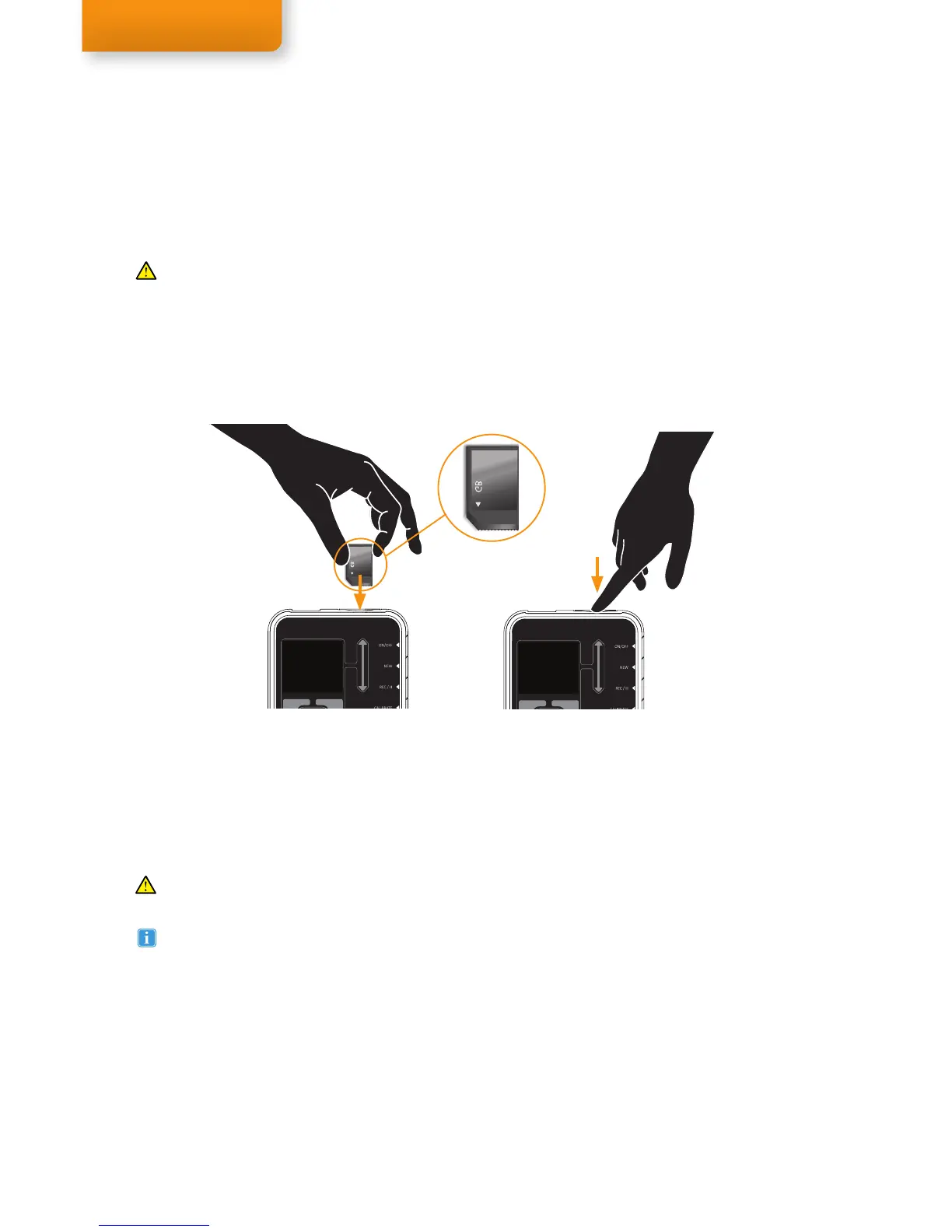
3. Press on the memory card so it clicks and becomes unfastened.
4. The memory card can then be pulled out of the memory card slot.
Memory and recording size
Maximum supported memory card size: 4GB
Maximum file size per recording: 2GB
Average file size of a 30 min. recording: 900MB
Maximum recording time per recording: approx. 70 min.
To insert the memory card in the unit:
1. First, make sure the Recording Assistant is off. Turn the unit off by holding the ON/OFF button.
2. Hold the Recording Assistant with the display facing you. Make sure the unit is turned off.
3. Insert the memory card in the memory card slot, as illustrated below.
4. Press it into the slot until it clicks into place.
Other memory cards than those provided by Tobii should never be used, as performance may be seriously
affected.
Changing the Memory card or formatting the Memory card keeps the numbering of the recording sessions
continuously.


 To Next Page