IDVisor Smart V2 User Guide Page 13 of 28
Rev 6.1 - December 15, 2020
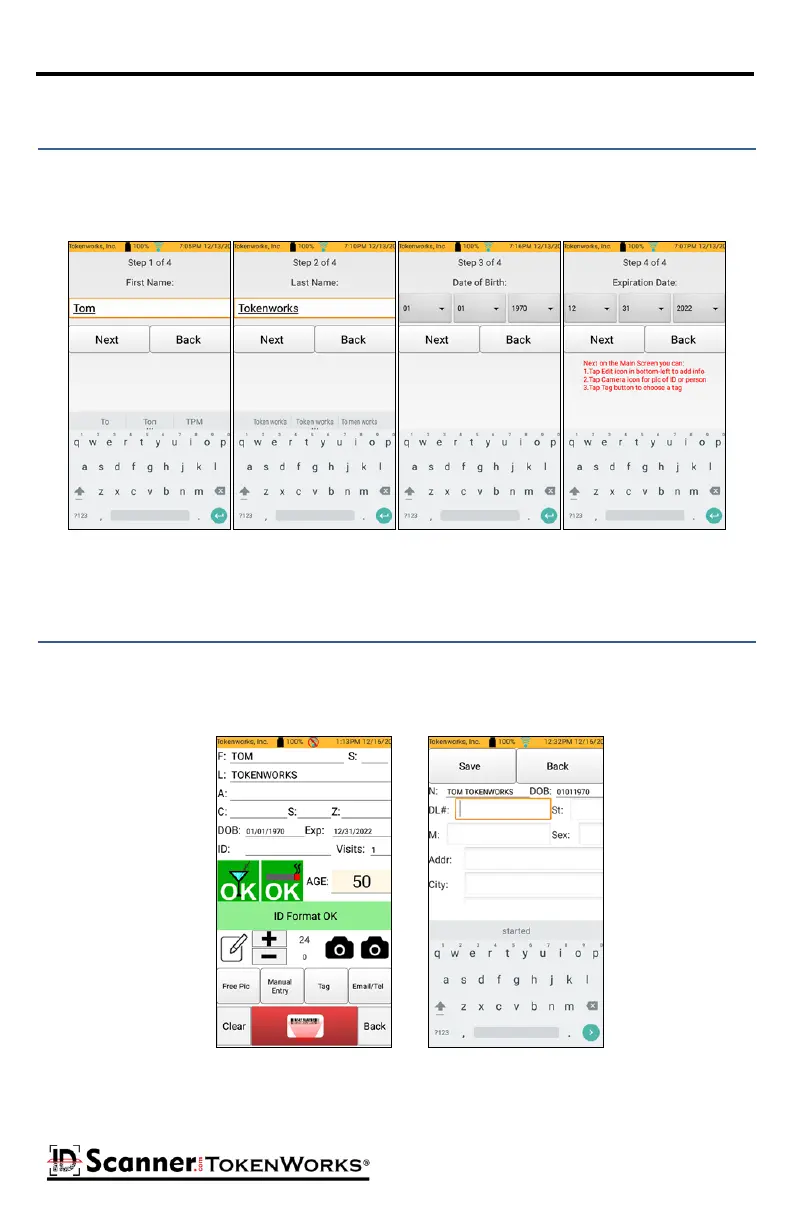
Manual Entry allows you to manually enter the First name, Last name, Date of Birth, and Expi-
raon Date on an ID that you are unable to read. To create a manual entry, tap the Manual
Entry buon and enter the First Name, Last Name, Date of Birth, and ID Expiraon Date.
Creang a Manual Entry
Once the basic informaon of a Manual Entry is entered you may now use the edit manual
entry edit buon located above the Free Pic buon to add addional data such as the DL#,
Sex, and address. Once informaon is added press Save.
Eding a Manual Entry



 To Next Page