IDVisor Smart V2 User Guide Page 21 of 28
Rev 6.1 - December 15, 2020
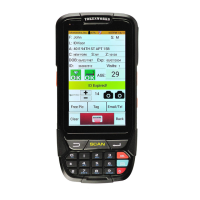
The Conguraon buon will display a screen with a series of on-o buons and pull-down
menu items that set the age thresholds and other scanning conguraons. Each seng is
briey explained below.
Note: Highlighted sengs will be locked if the IDVisor Smart V2 scanner is part of an IDVisor
Sync network. In a networked conguraon the highlighted sengs are centrally controlled
by the IDVisor Sync soware. Please refer to IDVisor Sync documentaon for details.
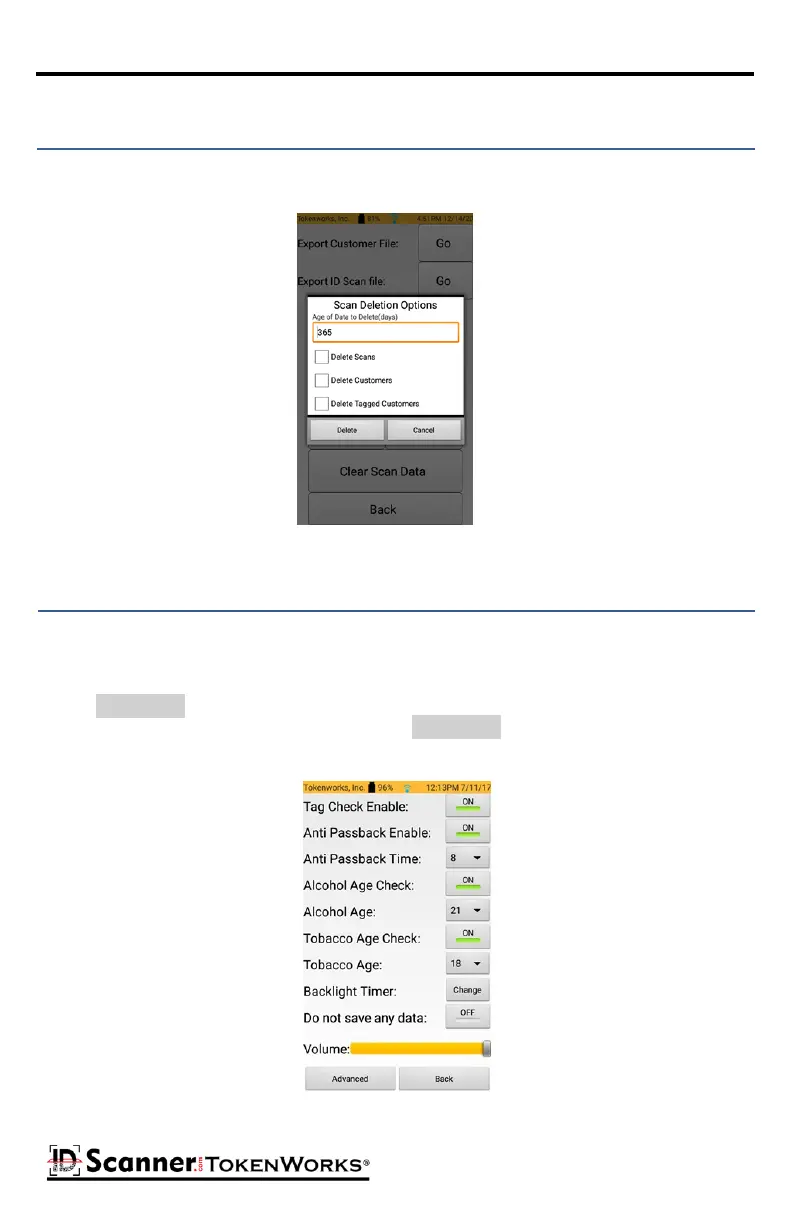
Delete Scans/Customers/Tagged Customers
Highlighted
highlighted
The Clear Scan Data buon removes Scans, Customers, and/or Tagged Customers from the
database that are no longer needed.
Conguraon Sengs



 To Next Page