IDVisor Smart V2 User Guide Page 8 of 28
Rev 6.1 - December 15, 2020
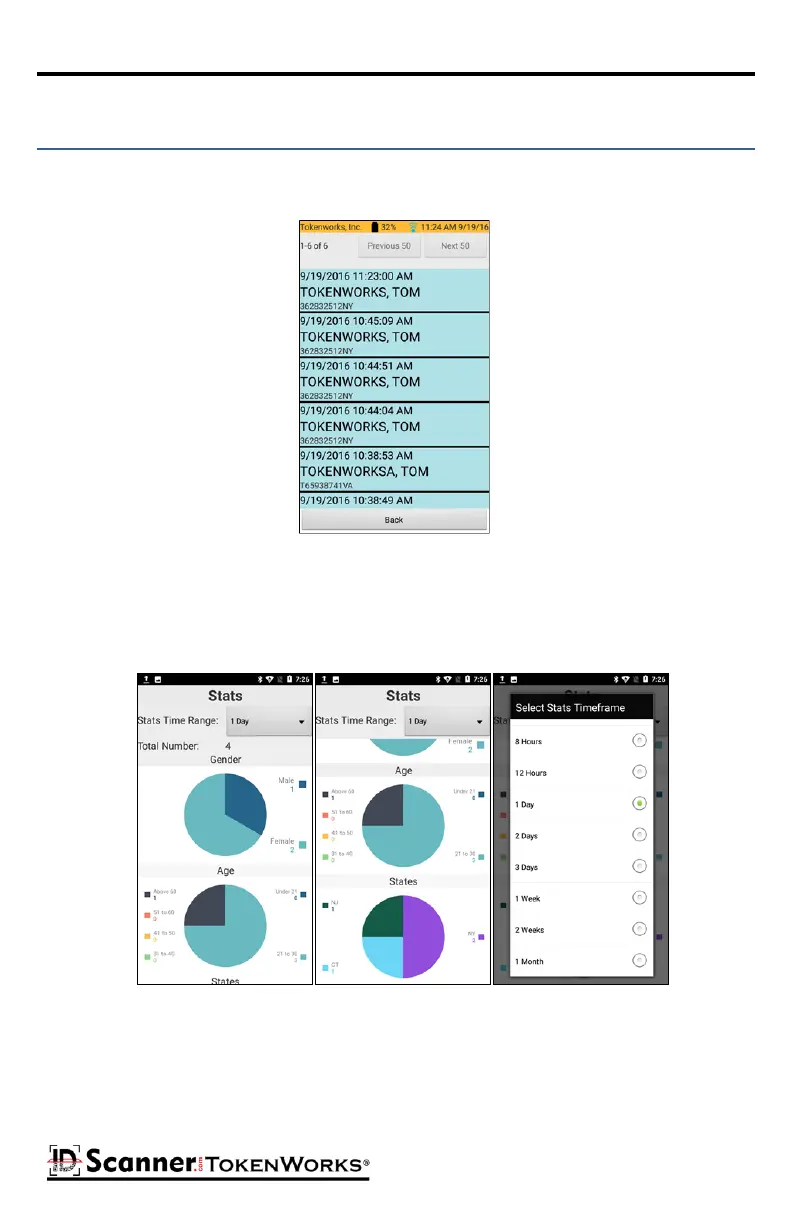
Tapping the Scanned Data buon will display a list of all the scanned cards in chronological
order.
Scanned Data List
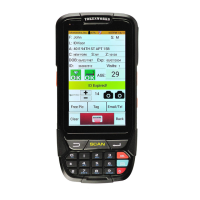
Stats Screen
Tapping an individual record will display a detailed view of that customer record in a read only
form:
Tapping the Stats buon displays stascs of recent customer visits, by gender, age, and state
during a selectable meframe.



 To Next Page