IDVisor Smart V2 User Guide Page 14 of 28
Rev 6.1 - December 15, 2020
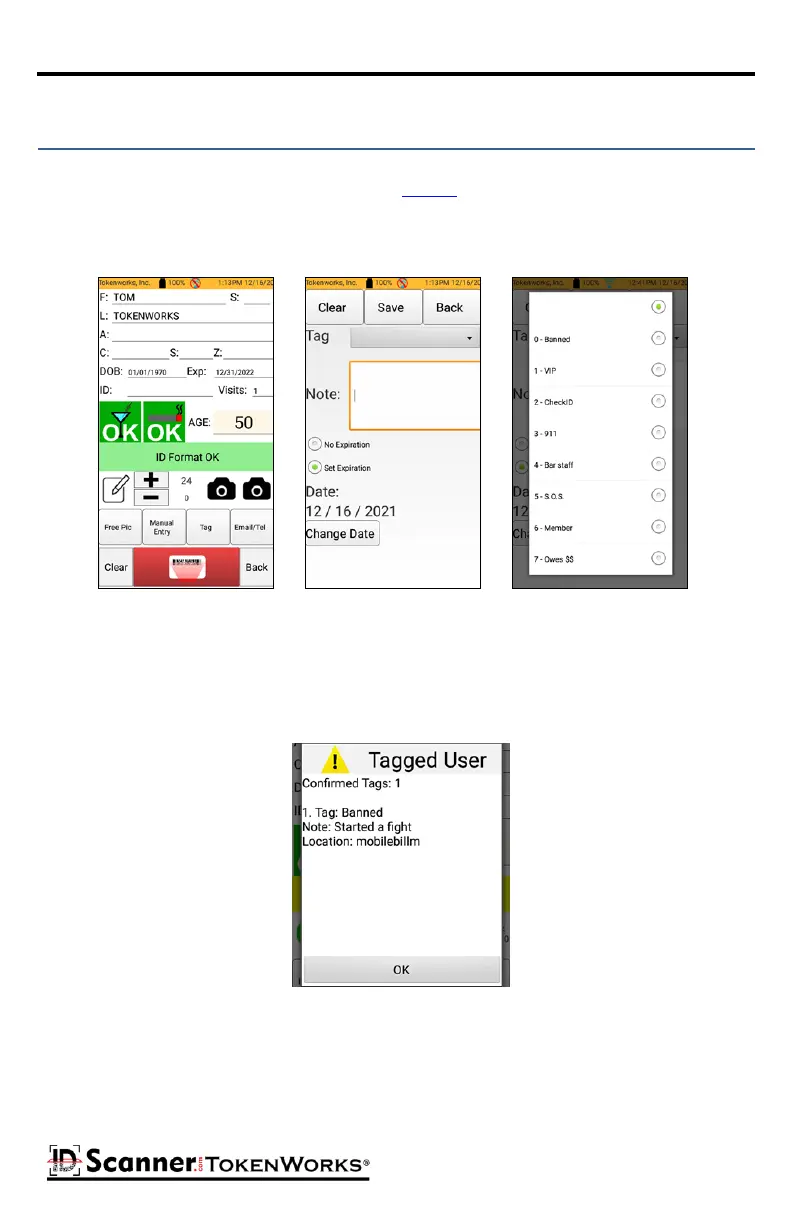
Tag allows you to tag an ID at the me it is scanned. You can use the exisng tag names pro-
vided on the scanner or create your own in the Tag List opon under Setup. Scan an ID then
tap the Tag buon. Select the Tag type from the pull-down menu. You may also enter an
oponal note and oponal Tag expiraon date. Aer tagging the ID press Save.
Tagging an ID
If a Tagged ID is presented at a future date, the ID Scanner will alert the scanner operator
audibly and display an alert message with the Tag details.
Tagged ID



 To Next Page