IDVisor Smart V2 User Guide Page 15 of 28
Rev 6.1 - December 15, 2020
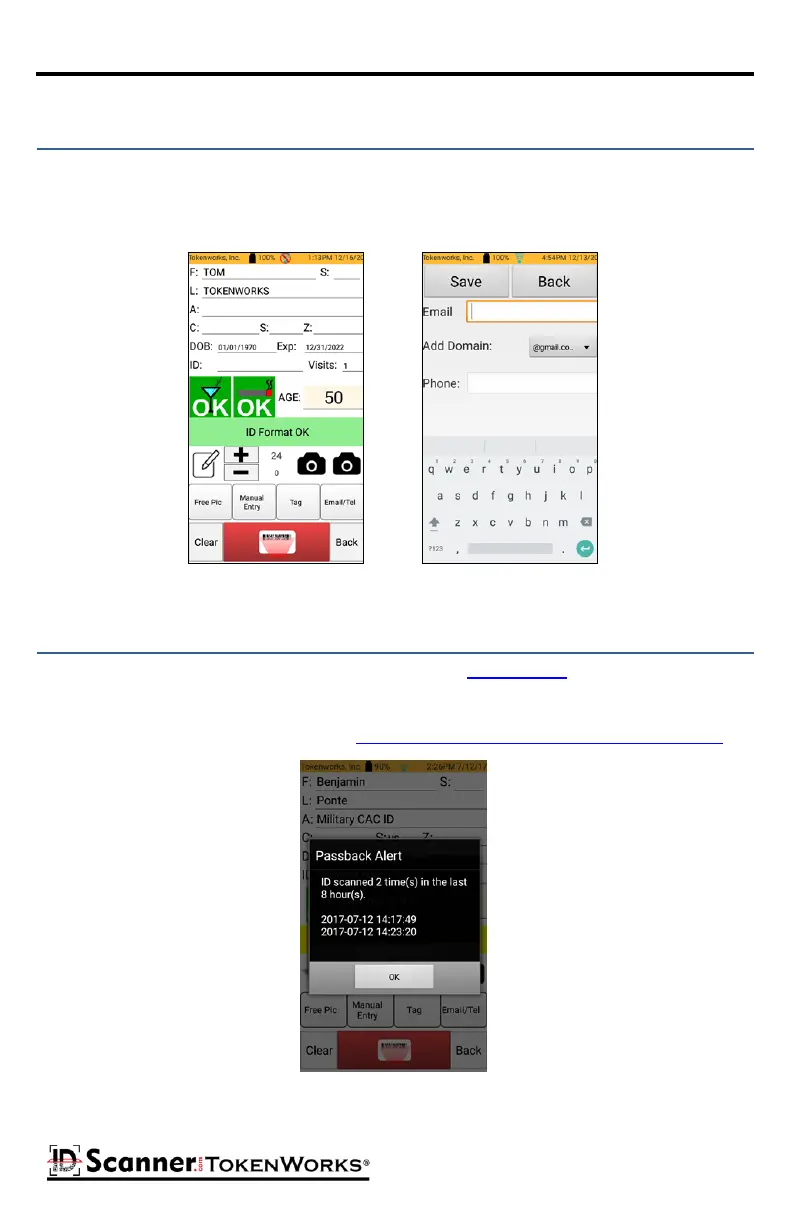
The Email/Tel buon allows you to add an email and phone number to associate with the
scanned ID. Once an ID is scanned the Email/Tel buon will be available. Tapping on this
buon will open a form for entering the Email and/or Phone informaon. Aer entering an
Email and/or Telephone number press Save.
Adding an Email/Phone Number
If the An-Passback feature is installed and enabled (in Conguraon) and an ID is scanned
more than once during the congured me span, the scanner will make a dierent type of
sound and a nocaon will appear on the screen showing how many mes the ID has been
re-scanned. To disable this feature, go to Setup > Conguraon > An Passback Enable: OFF.
-
An-Passback Alert



 To Next Page