IDVisor Smart V2 User Guide Page 23 of 28
Rev 6.1 - December 15, 2020
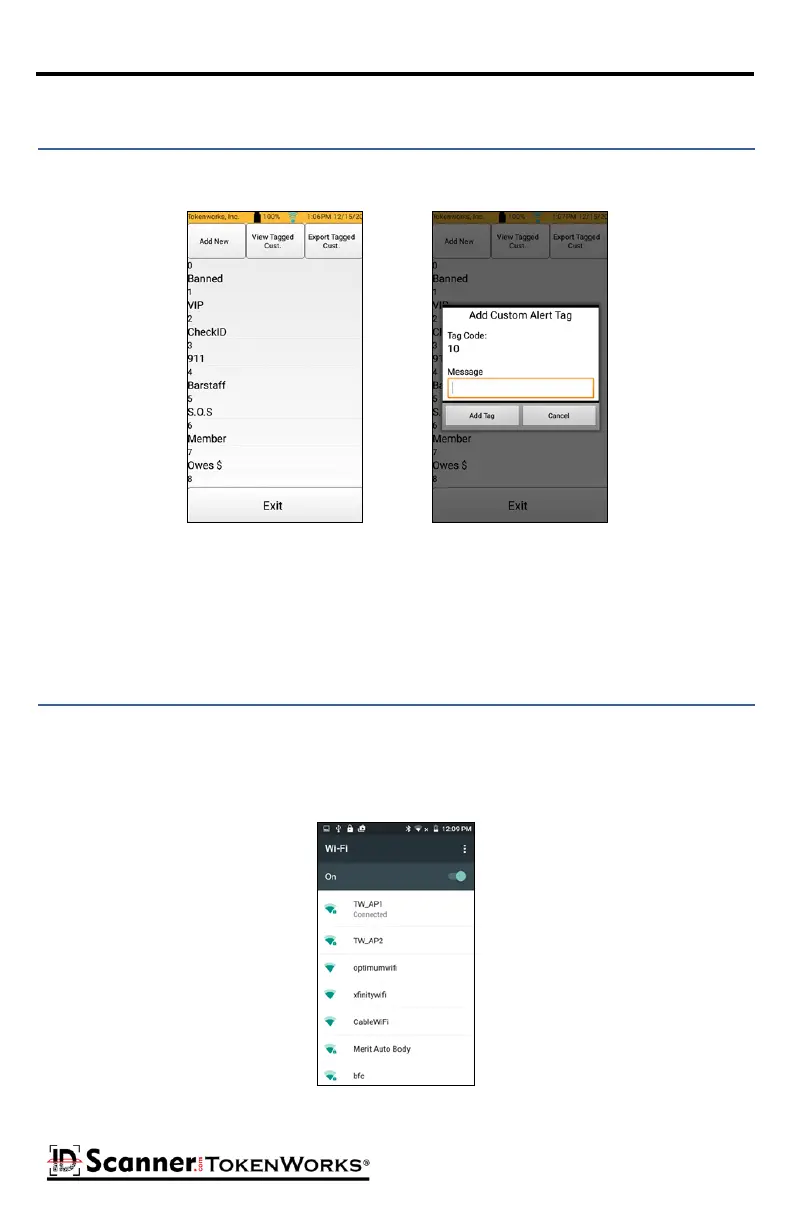
The Tag List buon displays the list of possible Tags. Pressing the Add New buon allows
you to add your own tags.
Tag List/Add New Tag
The View Tag Cust. buon displays a list of currently tagged customers.
The Export Tagged Cust. buon exports the tagged customer le is CSV format.
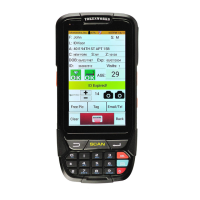
The Wi-Fi buon will bring you to the device’s Wi-Fi opons. Here you can turn on/o Wi-Fi.
If Wi-Fi is on, you will see a list of available networks. Select the network you wish to con-
nect to and enter the password for that Wi-Fi network. You can also access the Wi-Fi
sengs by tapping the Wi-Fi icon on the top of any screen.
-
Wi-Fi Selecon Screen



 To Next Page