15
STARTUP AND SETTING OF Ez Capture for DC-4
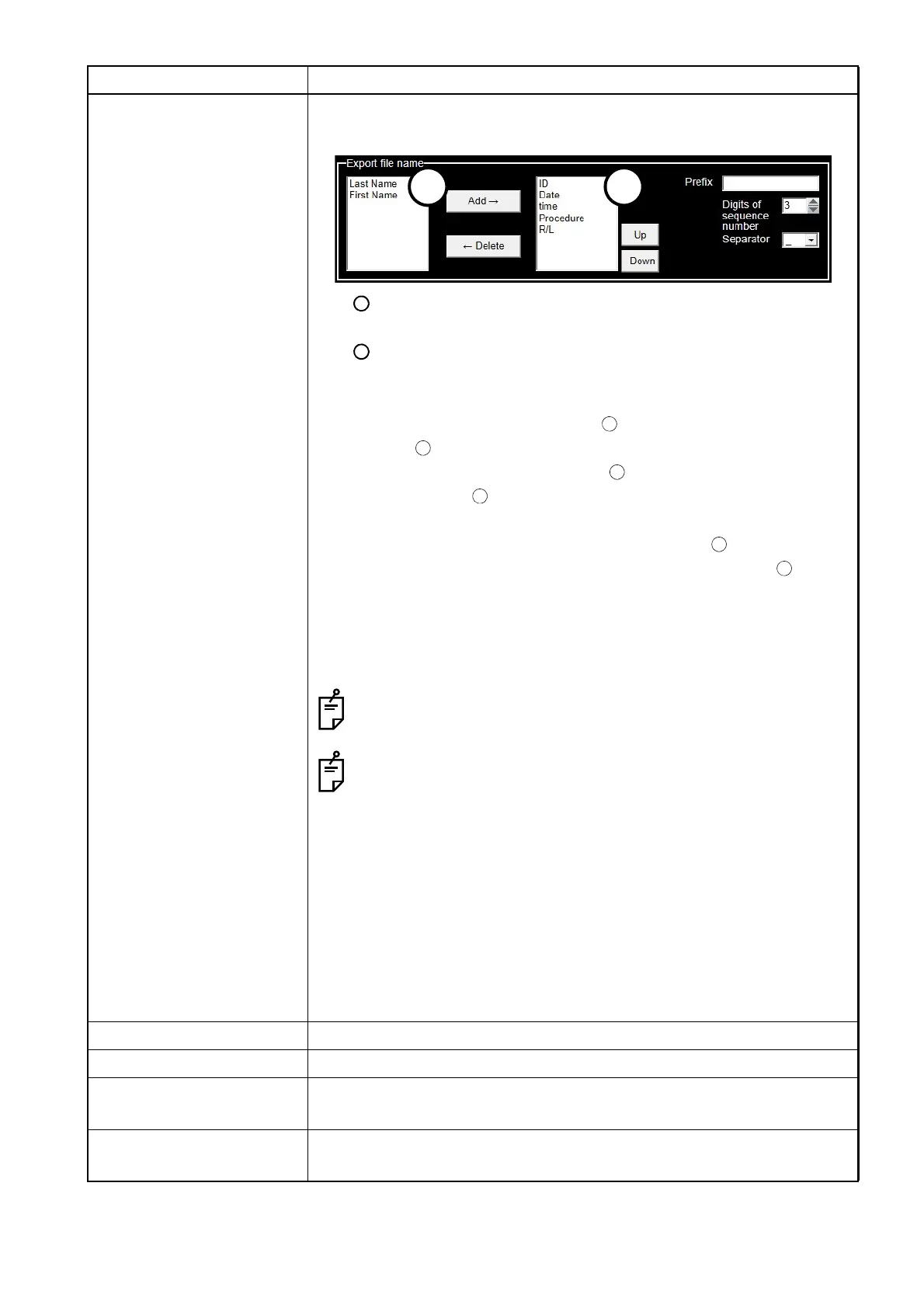
Export file name Sets a file name to be used when exporting an image (or movie) is
exported.
List :
This list includes items that may be used for file names.
List :
This list includes items used for file names. The items are used for file
names in order from top of the list.
To add an item, select one from List and press the [Add] button to
add it to List .
To delete an item, select one from List and press the [Delete] button
to delete it from List .
[Up][Down] button:
Click the [Up] button, and the item selected in List moves up by 1
step. Click the [Down] button, and the item selected in List moves
down by 1 step.
"Prefix, Digits of sequence number, Separator" column:
Specify "prefixes, digits of sequence number, and separators" respec-
tively as items used for file names.
Enter a prefix in a maximum of 12 alphanumeric characters.
Note that the signs " \ / : * ? " < > | " cannot be used.
Specify the minimum digit number for "Digits of sequence num-
ber". If the digits of the number to be added to a file name are
less than "Digits of sequence number", "0" will fill in the blanks at
the head portion of the number. If the digits of the number to be
added to a file name are more than "Digits of sequence number",
use the number without changing.
Setting example:
When items used for file names are "ID, name, date, time, procedure,
R/L", digits of sequence number "3", separators "_" and the file is
saved in the file format "JPEG", the file name (example) is as follows:
000-00-0001_TOPCON_20090830_151014_DC4_Image_L_001.jpg
Image file format Specifies the file format of image for export.
Movie file format Specifies the file format of movie for export.
Auto export directory Specifies the destination when exporting an image (or movie) automat-
ically.
Manual export directory Specifies the destination when selecting an image (or movie) on the
photography screen and clicking the icon to export it.
Setting item Description












 To Next Page