34
OPERATION OF Ez Capture for DC-4
View of image
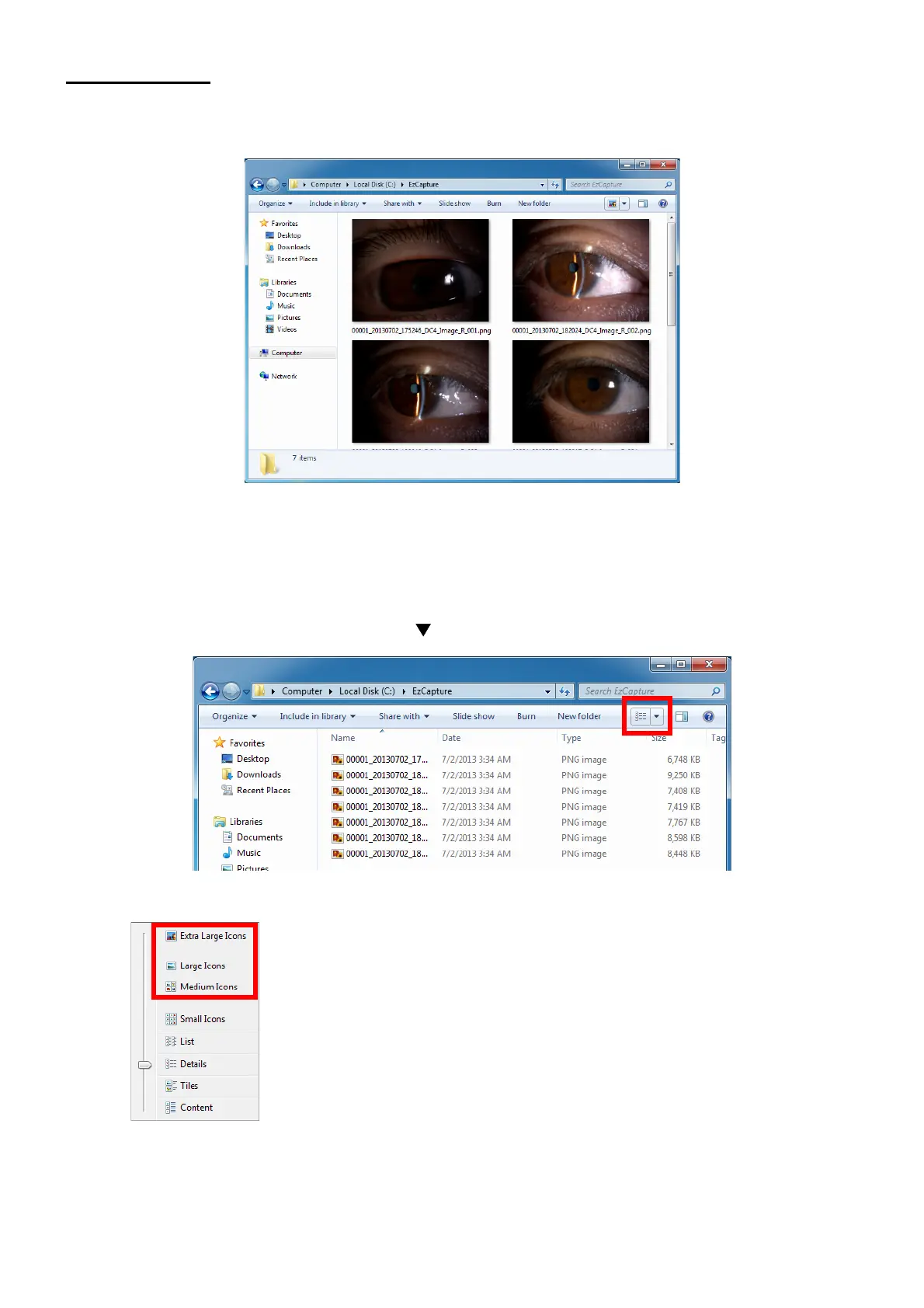
To view the image captured by Ez Capture, use Windows Explorer.
The display format depends on the environment of the computer being used.
How to set Explorer
This chapter will describe how to start Explorer constantly with the enlarged icons as shown above.
(1) Open the folder to save the images with Explorer.
(2) In the maximal display status, click the [ ] icon, which is the third from the right on the menu bar.
(3) The pull-down menu is displayed. Select an icon from the icons of "Medium icon" or larger size.












 To Next Page