30
Surveying
• JOB Selection
• Changing the JOB name
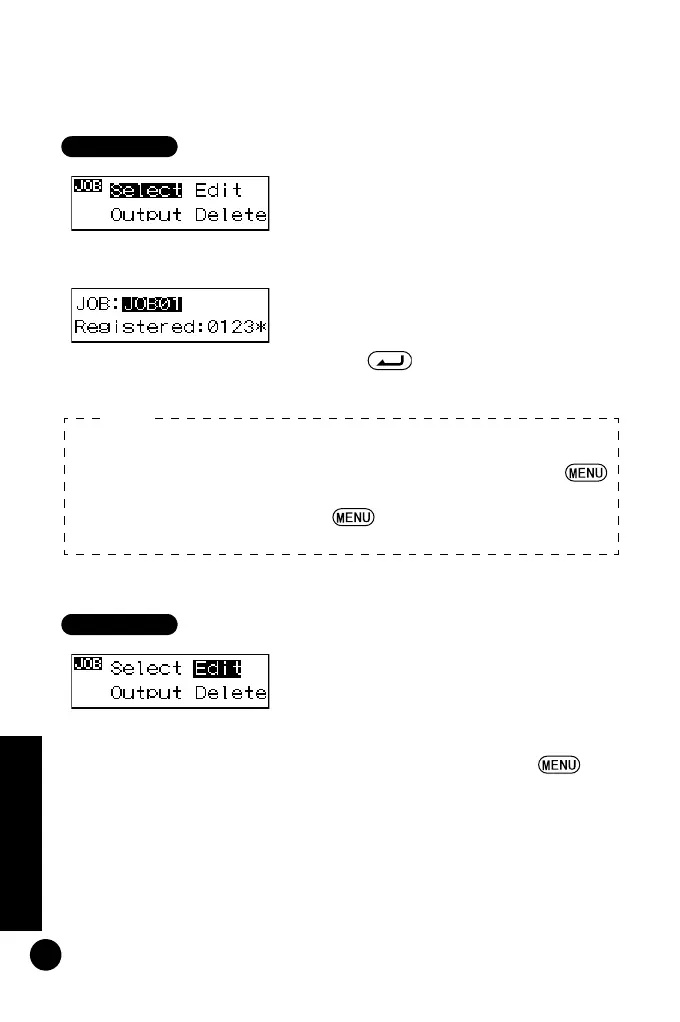
1 In the menu mode, select "JOB," and
then select "Select."
The currently selected JOB and
number of data recorded in the JOB
are displayed.
2 Select the JOB you will store the data
to.
3 Press to confirm the selected
JOB.
1 In menu mode, select "JOB" and
then "Edit."
The currently selected JOB name is
displayed and can now be edited.
The characters that can be input are
shown below. Each time is
pressed, the cursor jumps to the first
character of each row shown below.
• JOB Quick Access
Step 2: When JOB numbers 1 to 10 are displayed, press
to jump to JOB number 11. When JOB numbers 11 to 20
are displayed, press to jump back to JOB number
1.
Note:
DL502-503.book 30 ページ 2010年4月5日 月曜日 午前9時47分



 To Next Page