45
Surveying
11.3 Setting Out Elevation
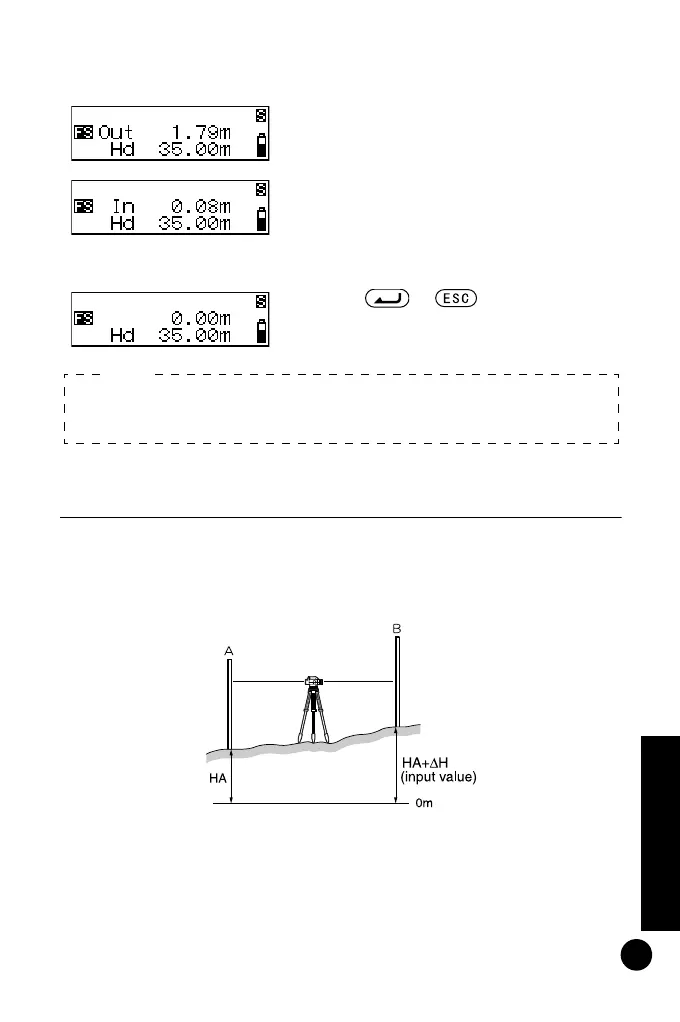
By entering the elevation (HA +
Δ
H) from a known benchmark
(point A), you can find a ground point (point B) at a specified
elevation.
The procedure below is for taking single measurements.
5 Move the staff by the amount shown
on the screen, then take another
foresight reading.
If "Out" is displayed, move the staff
backward.
If "In" is displayed, move the staff
forward.
When the display shows '0', you have
found the specified ground point.
6 Press or .
Distance set-out is completed. Set
out the next ground point.
• Storing setting out distance
Step 3: Even after power off, distance is stored.
Note:
DL502-503.book 45 ページ 2010年4月5日 月曜日 午前9時47分



 To Next Page