143
23. TRAVERSE ADJUSTMENT
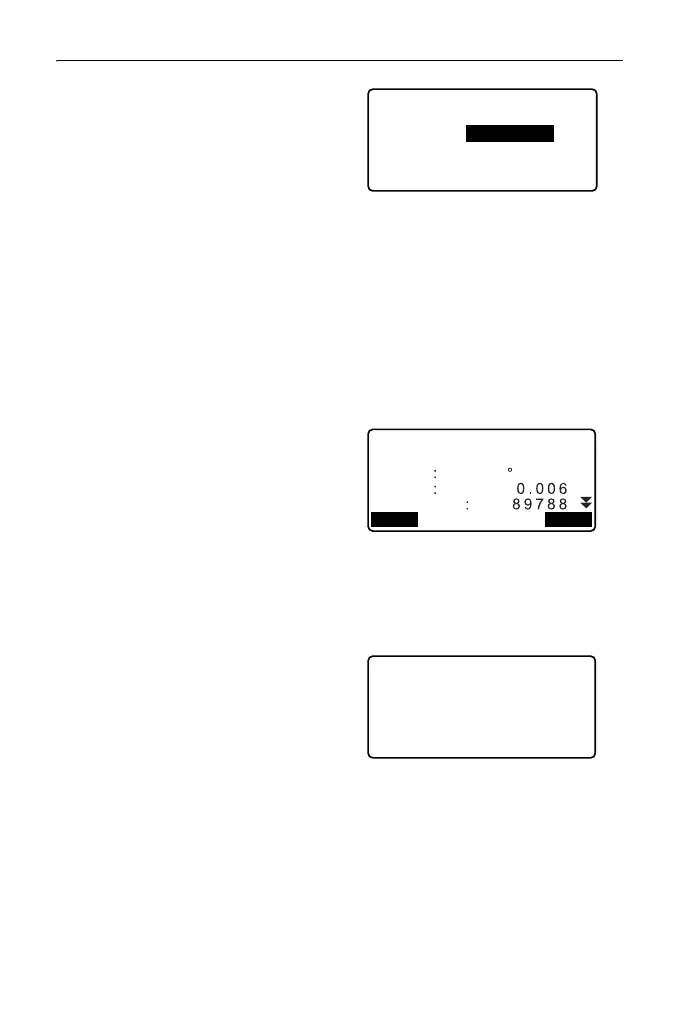
•Press [OPTION] to change the
method by which the traverse
adjustments are distributed.
(*:Factory setting)
(1) Method (coordinate
adjustment):
Compass*, Transit
(2) Angular:
Weighted*, Linear,
None
(3) Elev (Elevation):
Weighted*, Linear,
None
For all options, see "
Adjustment methods"
9. Angular adjustment will be
performed first. Press [ADJUST]
to start adjustment using the
method selected in "(2) Angular"
in step 8.
• When "None" is selected in "(2)
Angular" in step 8, only
coordinate and elevation
adjustment will be performed.
10. After confirming the results, press
[ADJUST] again to start
coordinate and elevation
adjustment using the methods
selected in "(1) Method" and "(3)
Elev" respectively. All adjusted
instrument data will be in saved in
the currently selected JOB and
traverse adjustment will be
finished.
Adjustment options
Method
Angular
Elev
: Compass
:Weighted
:Weighted
After angle adjust
d.Ang
d.Dist
precision
ADJUSTOPTION
0 00’00"
Traverse adjustment
Recording... 7



 To Next Page