231
31. CHANGING THE SETTINGS
When “feet” or “inch” is selected in “Dist”, the “Feet” item will appear on the
screen as below. When “meter” is selected, this item will not be displayed.
Results displayed in feet will differ according to the unit selected in this item.
Date and time
Select “Date and time in Config mode
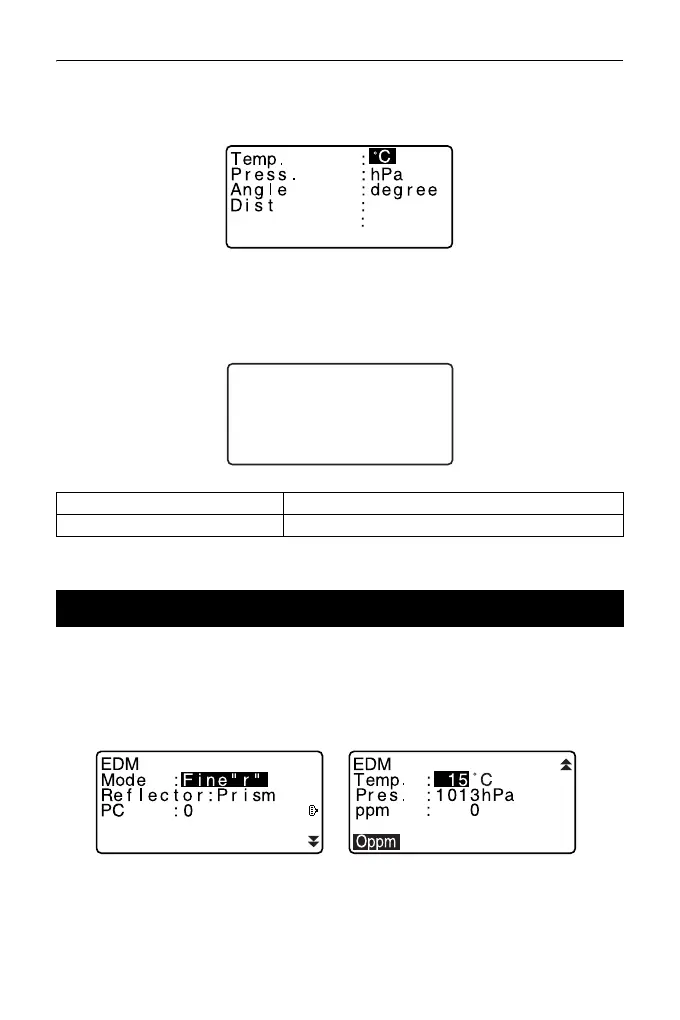
The following explains the EDM settings.
• “*”: Factory setting
Press [EDM] in the second page of OBS mode.
• [0ppm]: Atmospheric correction factor returns to 0 and temperature and air
pressure are set to the default values.
Date: Entry example July 20, 2015 → 20150720 (YYYYMMDD)
Time: Entry example: 2:35:17 p.m. → 143517 (HHMMSS)
31.2 EDM Settings
Date and time
Date: Jan / 01 / 2015
Time: 16:44:38



 To Next Page