10. ANGLE MEASUREMENT
34
You can reset the horizontal angle to a required value and use this value to find
the horizontal angle of a new target.
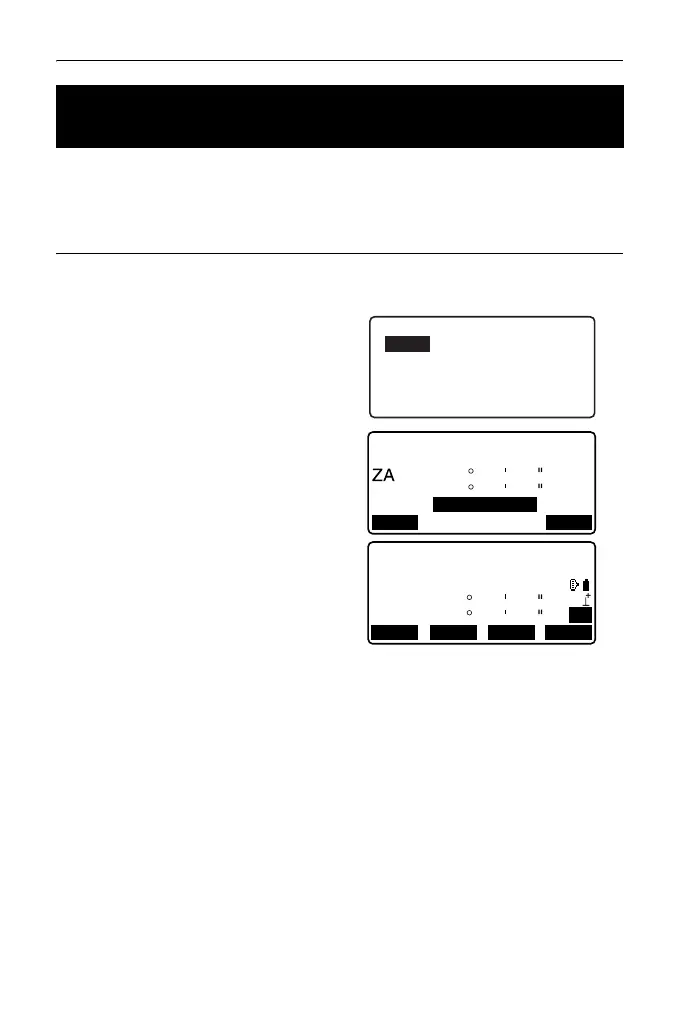
PROCEDURE Entering the horizontal angle
1. Sight the first target.
2. Press [H-SET] on the second
page of the OBS mode and select
"Angle."
3. Enter the angle you wish to set,
then press [OK].
The value that is input as the
horizontal angle is displayed.
•Press [REC] to set and record
the horizontal angle.
"27.2 Recording Backsight
Point"
4. Sight the second target.
The horizontal angle from the
second target to the value set as
the horizontal angle is displayed.
• Pressing [HOLD] performs the same function as above.
•Press [HOLD] to set the displayed horizontal angle. Then, set the angle that is
in hold status to the direction you require.
Allocating [HOLD]: "31.3 Allocating Key Functions"
10.2 Setting the Horizontal Angle to a Required Value
(Horizontal Angle Hold)
Set H angle
Take BS
89
59
50
347
23
46
REC
OK
125.3220
HA-R
HA-R
OBS
PC
0
0
ppm
SD
ZA
HA-R
89
125
59
32
50
20
TILT
H-SET
EDM
P2
MENU



 To Next Page