27. RECORDING DATA - TOPO MENU -
194
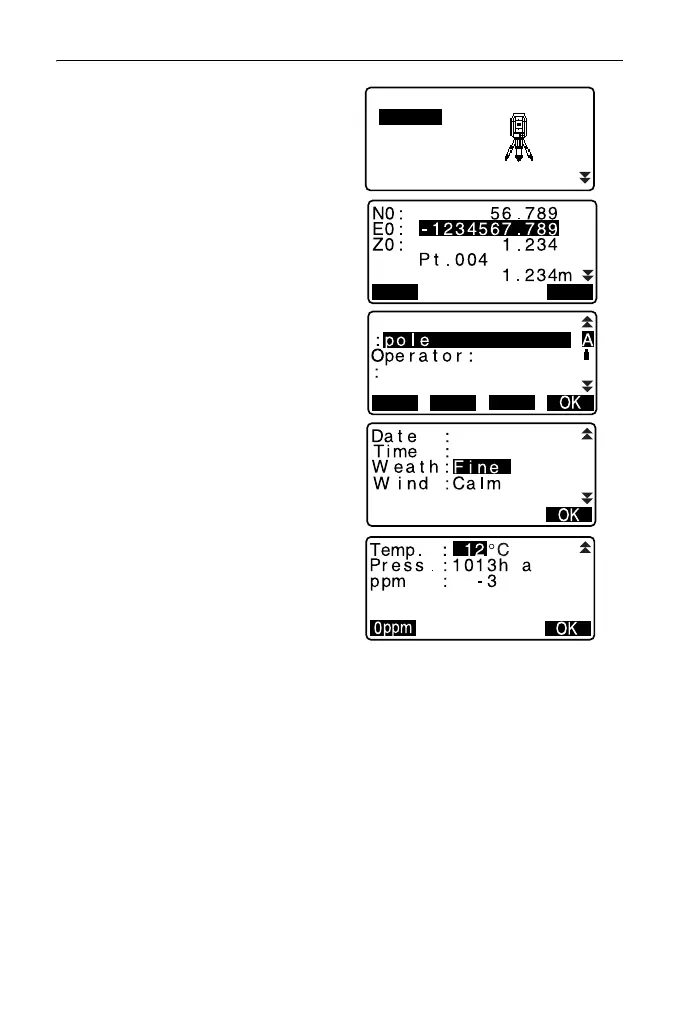
2. Select “Occupy”.
3. Set the following data items.
(1) Instrument station coordinates
(2) Point name
(3) Instrument height
(4) Code
(5) Operator
(6) Date (Display only)
(7) Time (Display only)
(8) Weather
(9) Wind
(10)Temperature
(11)Air pressure
(12)Atmospheric correction factor
•Select [LOAD] to recall and use
the registered coordinates.
"12.1 Entering Instrument
Station Data and Azimuth
Angle PROCEDURE Reading
in Registered Coordinate
Data".
• When inputting code, [ADD],
[LIST] and [SRCH] are
displayed.
Press [ADD] to save input codes
in memory.
Press [LIST] to display saved
codes in reverse chronological
order.
Press [SRCH] to search for a
saved code.
For reviewing and saving
codes in Data mode, see
"29.3 Registering/Deleting
Codes" and "29.4 Reviewing
Codes"
TOPO JOB1
Occupy
Angle data
Dist data
Coord data
BS data



 To Next Page