237
31. CHANGING THE SETTINGS
Softkey Allocation Examples
It is possible to allocate the same key to each page (example 1). The same
function can be allocated to more than one key on the same page (example 2).
And it is also possible to allocate a function to only one key (example 3).
Allocation example 1:
P1 [MEAS] [SHV] [H-SET] [EDM]
P2 [MEAS] [SHV] [H-SET] [EDM]
Allocation example 2:
P1 [MEAS] [MEAS] [SHV] [SHV]
Allocation example 3:
P1 [MEAS] [SHV] [– – –] [– – –]
PROCEDURE Allocating functions
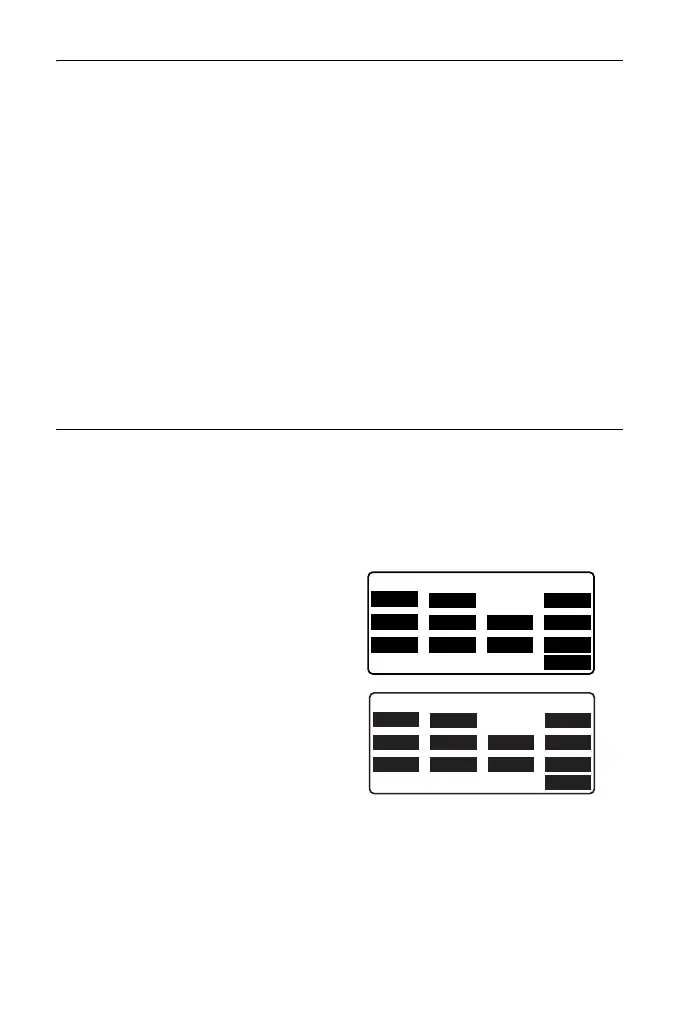
1. Select “Key function” in Config
Mode.
Select “Define.” Currently
allocated softkeys are displayed in
<Key function>.
2. Align the cursor with the softkeys
whose allocation you want to
change using {}/{}.
The cursor of the selected softkey
flashes.
3. Change the softkey function using
{
}/{}.
Set the softkey function and its
location by pressing {}/{}. The
set softkey stops flashing and the
cursor flashes on the next softkey.
4. Repeat steps 2 to 3 only as many
times as necessary.
Key function
MEAS
SHV 0SET
COORD
MENU
TILT H-SET EDM
MLM
OFFSET
TOPO S-O
OK
Key function
MEAS
SHV MLM
COORD
MENU
TILT H-SET EDM
MLM
OFFSET
TOPO S-O
OK



 To Next Page