69
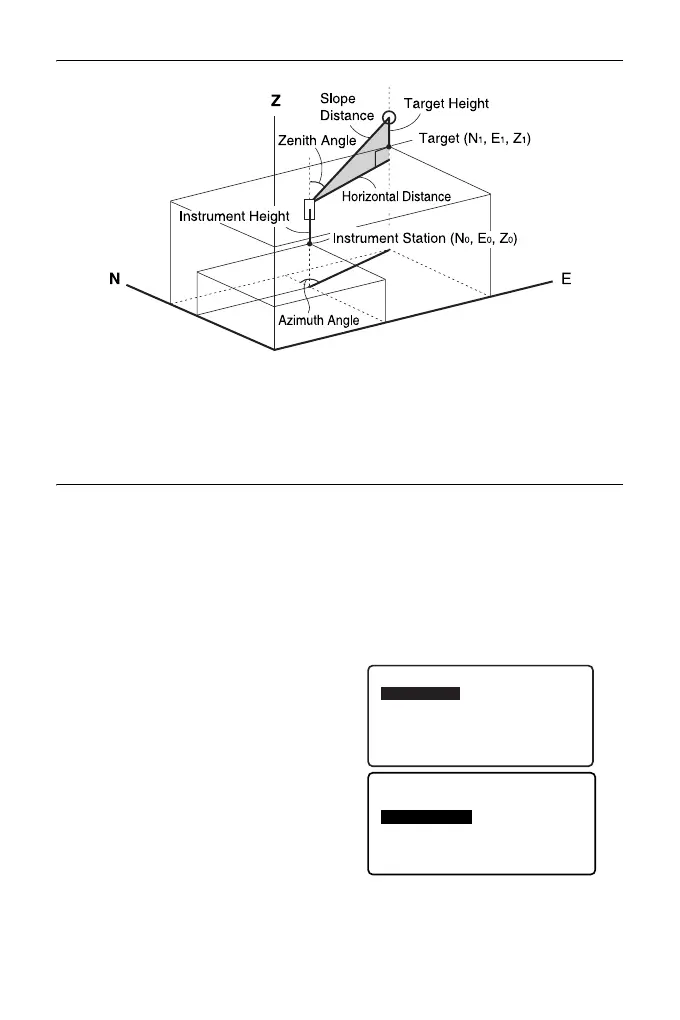
13. COORDINATE MEASUREMENT
• If not measured or the space is left blank “Null” will be displayed.
If station point Z coordinate is set to “Null” the observation result for the Z
coordinate is automatically set to “Null”.
PROCEDURE
1. Sight the target at the target point.
2. In the third page of OBS mode
screen, press [MENU], then select
"Coordinate".
3. Select "Occ.orien." to set the
instrument station data and
azimuth angle of the backsight
point.
4. In <Coord>, select "Observation".
Pressing [MEAS] will start
measurement, and the coordinate
value of the target will be
displayed.
Press [STOP] to quit
measurement.
Coord.
Occ.Orien.
Observation
EDM
Coord.
Occ.Orien.
Observation
EDM



 To Next Page