14. SETTING-OUT MEASUREMENT
74
8. Move the prism forward and
backward until the setting-out
distance is 0m. If S-O
ΔHD is “+”,
move the prism toward yourself, if
it is “-”, move the prism away from
yourself.
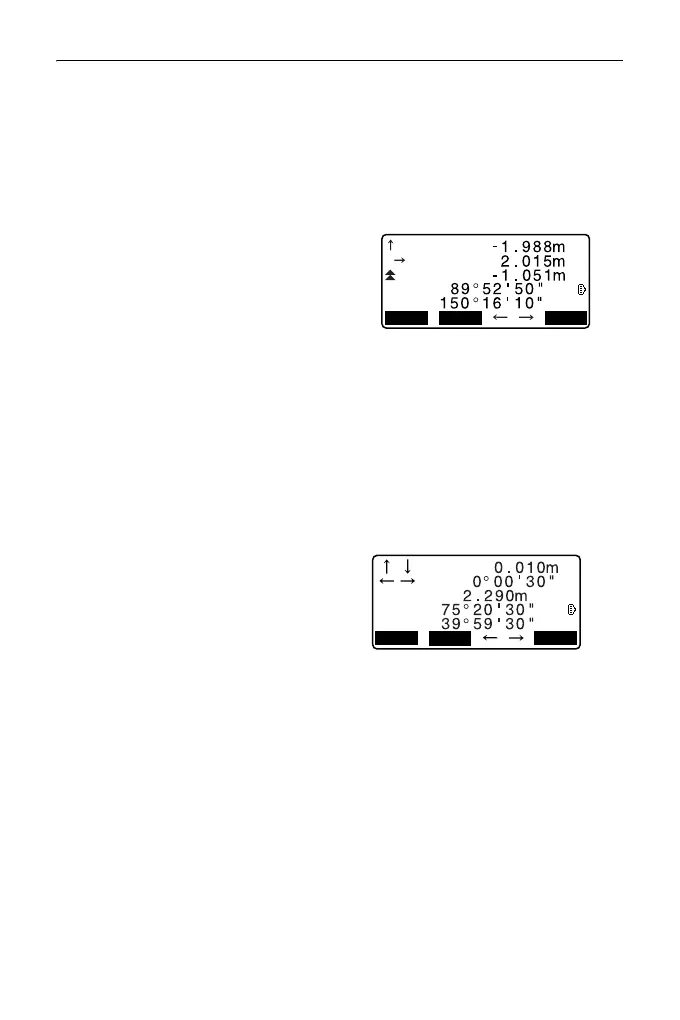
• By pressing [← →], an arrow
pointing to the left or right
displays which direction the
target should be moved.
← : Move the prism to left.
→ : Move the prism to right.
↓ : Move the prism forward.
↑ : Move the prism away.
: Move the prism upward.
: Move the prism downward.
When the target is within
measurement range, all four
arrows are displayed.
9. Press {ESC} to return to step 4.
• When [LOAD] was used in step
4, the list of registered
coordinates is restored.
Continue setting-out
measurement.
• [REC]: records measurement
results
Recording method:
"27. RECORDING DATA -
TOPO MENU -"
MEAS
DISP
REC
ZA
HA-R
Cut
R
Back
HD
ZA
HA-R
MEAS
REC
MEAS
DISP
REC



 To Next Page