35
PREPARATIONS
PRINTING COMPUTER LENSMETER DATA
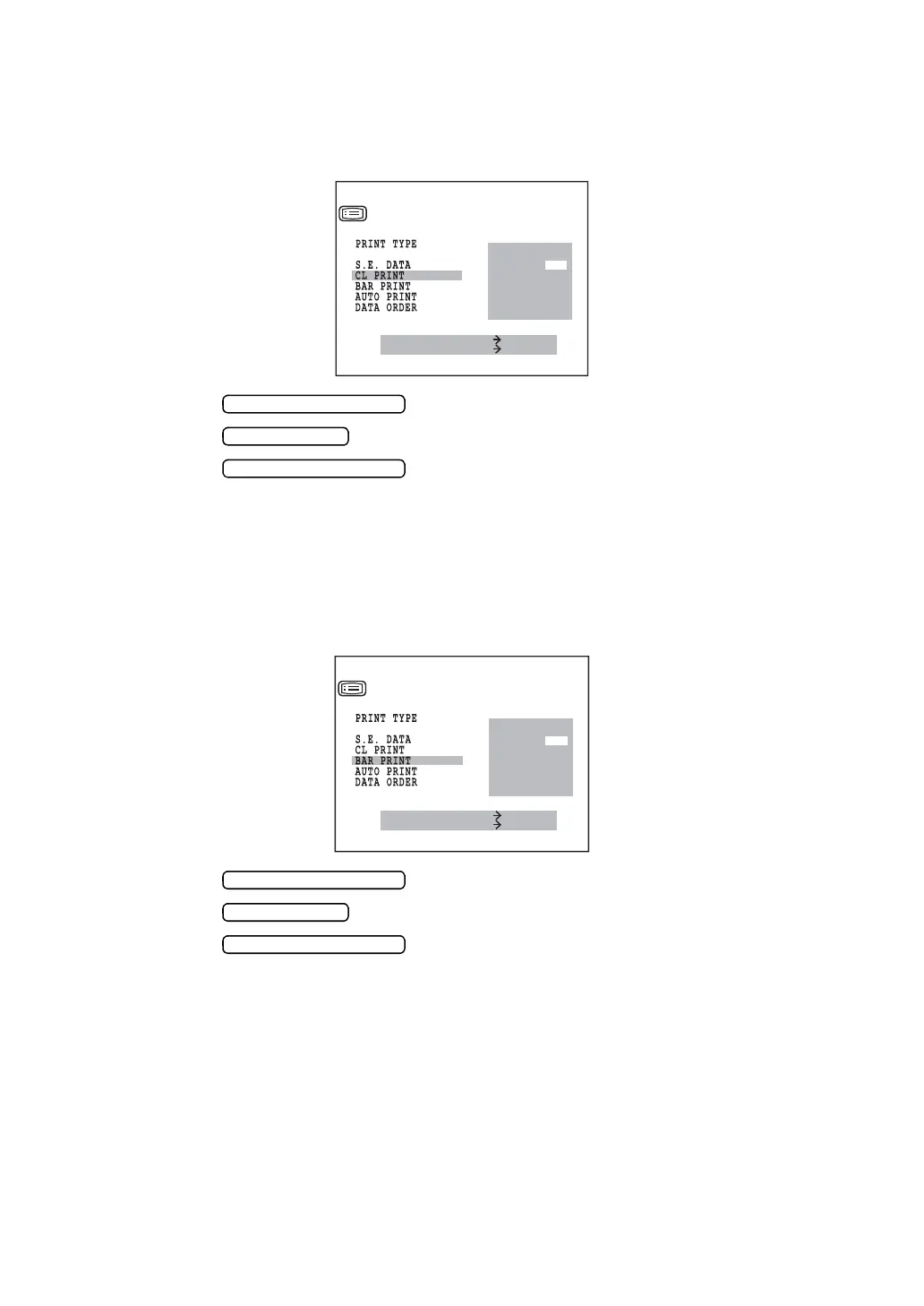
Computer lensmeter data can be printed. Before shipment, it is set to “NO” (no printout).
1 In the “INITIAL MENU SCREEN”, choose “PRINT OUT” and get the “PRINT OUT
SCREEN”.
2 Press the and move the cursor to “CL PRINT”.
3 Press the and choose “YES” (printout) or “NO” (no printout).
4 Press the , and the cursor goes to the next item.
PRINTING BAR CODE
The bar code can be printed out. Before shipment, it is set to “NO” (no printout).
1 In the “INITIAL MENU SCREEN”, choose “PRINT OUT” and get the “PRINT OUT
SCREEN”.
2 Press the and move the cursor to “BAR PRINT”.
3 Press the and choose “YES” (printout) or “NO” (no printout).
4 Press the , and the cursor goes to the next item.
YES
NO
MEASURE SWITCH ITEM
PRINT SWITCH SELECT
PRINT OUT
KRT PRINT TYPE
MEASURE SWITCH ITEM
PRINT SWITCH SELECT
PRINT OUT
YES
NO
KRT PRINT TYPE



 To Next Page