2. Check the motor. Release the clutch then disconnect the wires of the
motor from terminal 1 and 2. Connect the wires to 24V battery directly, the
motor should run, and then exchange the wires, the motor should run in the
opposite direction. If the motor runs in both directions, please check the other
parts listed below.
3. Check the limit switch. Remove the wire connection of the limit switch
which is connected to the 10#, 11#, and 12# terminals of the control board
and then try it again. Replace the limit switch if the motor could run in both
directions.
4. Check the control board. Replace the control board if necessary.
Remote control does
not work.
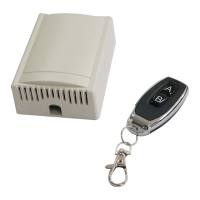
1. The indicator light of remote control is not on. Check the battery in your
remote control. Replace the battery if necessary.
2. The distance you use the remote is too far away from the opener. Try it
again closer.
3. Remote control is not suitable for receiver. After making sure the codes are
correct, erase remote controls and then re-program the codes in the device.
4. Check the control board. Replace the control board if necessary.
The gate starts but it
is immediately stop or
reverse
1. Check that the clutch is adjusted properly and is not slipping.
2. The opening force or closing force is adjusted too small. Turn the
Potentiometer B to increase the force.
3. Disconnect the gate from the gate opener and check that the gate slides
freely without any binding.
4. Check the control board. Replace the control board if necessary.
The gate opens, but
stops and will not
return.
1. Check the installing position of the magnets. The opener would not run if
both of the limit switches are activated by one magnet.
2. Check the limit switch. Remove the wire connection of the limit switch
which is connected to the 10#, 11#, and 12# terminals of the control board
and then try it again. Replace the limit switch if the motor could run in both
directions.
3. Check the control board. Replace the control board as necessary.
The gate can open,
but fails to close.
1. Photocell is obstructed. Remove obstruction.
2. Check the limit switch. Remove the wire connection of the limit switch
which is connected to the 10#, 11#, and 12# terminals of the control board
and then try it again. Replace the limit switch if the motor could run in both
directions.
3. Check the control board. Replace the control board if necessary.
The motor runs but
the gate doesn’t
move.
Ensure the clutch for emergency release is adjusted properly and is not
slipping.


 To Next Page