WiththeZaxisinthehomed(highest)posion,perform
thefollowingteststoverifytheoperaonofthetool
changer:
1. ApplyathinlmofwayoiltothelinearrailsoftheATC
slideassembly.Somechaerisexpectedunltheoil
haslubricatedthelinearbearings.
2. OntheATCSetupscreen,click“TrayIn”,“TrayOut”
buonstoverifythatthetrayairlinesarecorrectand
thatthemagnecaircylindersensorsareproperly
working.Message“ATCbuonexecuted”aereach
buonpressveriesoperaoncompleon.
3. Withthetrayinthe“in”posion,clickthe“Refresh”
buonunder“Diagnoscs”ontheATCSetupscreen.
VerifythattheTrayInSensorLEDisilluminatedwhen
the tray is in.
4. RepeatStep3forTrayOutposion.Youwillneedto
clickthe“Refresh”buontoreadthesensors.
• IfeithertheTrayInorTrayOutsensorfailstorespond
asexpected,refertothe“SensorIssue”seconin
Maintenance and Troubleshoong.
5. WiththetrayoutjogtheZaxisdownacoupleof
inches.
square tube mount.
Clickthe“GotoTrayLoadPosion”.Thisshouldmove
theZaxisupandbringthetrayin.
6. Clickthe“ReferenceToolTray”buonontheATC
Setupscreen-itshouldndandcenteronitshome
switch.Itwillturnunlitndsoneendofthesensor,
thenreverseandndtheotherendofthesensor,and
thencenterbetweenthesetwospots.
7. Testthedrawbarpendant.
8. OntheATCSetupscreen,clicktheDrawBarUp,Draw
BarDownbuons.Thedrawbarshouldoperate
accordingly.
9. ClickDrawBarDownbuonontheATCsetupscreen.
Itshouldreandlatch.Nowhitthetop(Lock)buon
onthependant.Itshouldunlatch.
10.ClickBlaston,BlastoontheATCSetupscreen.You
shouldheartheairstartandstopatthenozzlesinthe
tooltray.
11.Withatoolinthespindleandthetrayintheout
posion,startthespindleatlowspeedinmanual
mode.Clickthe“Refresh”buonontheATCSetup
screen,andverifythattheVFDRunningLEDis
illuminated.
12.Oponalpressuresensorvericaon:Ifyouhave
installedthepressuresensoraccessory(PN32329)
youmayverifythatthePressureSensorLEDonthe
ATCSetupscreenisilluminatedunderlowpressure
condionsanddarkundernormalpressurecondions.
Youwillhavetoclickthe“Refresh”buontoseethe
LEDchangecorrespondingtoachangeinstate.
6.1 Align Tool Tray and
Slots
Accuratealignmentofthetooltrayandslots,andthe
drawbarthrow,arethemostimportantfactorsinassur-
ingreliableandrepeatabletoolchangeroperaon.Take
yourme,andtakecaretodothisaccurately.Avideoof
thealignmentprocedurecanbewatchedonourwebsite:
hp://www.tormach.com/upgrades_s_atc.html
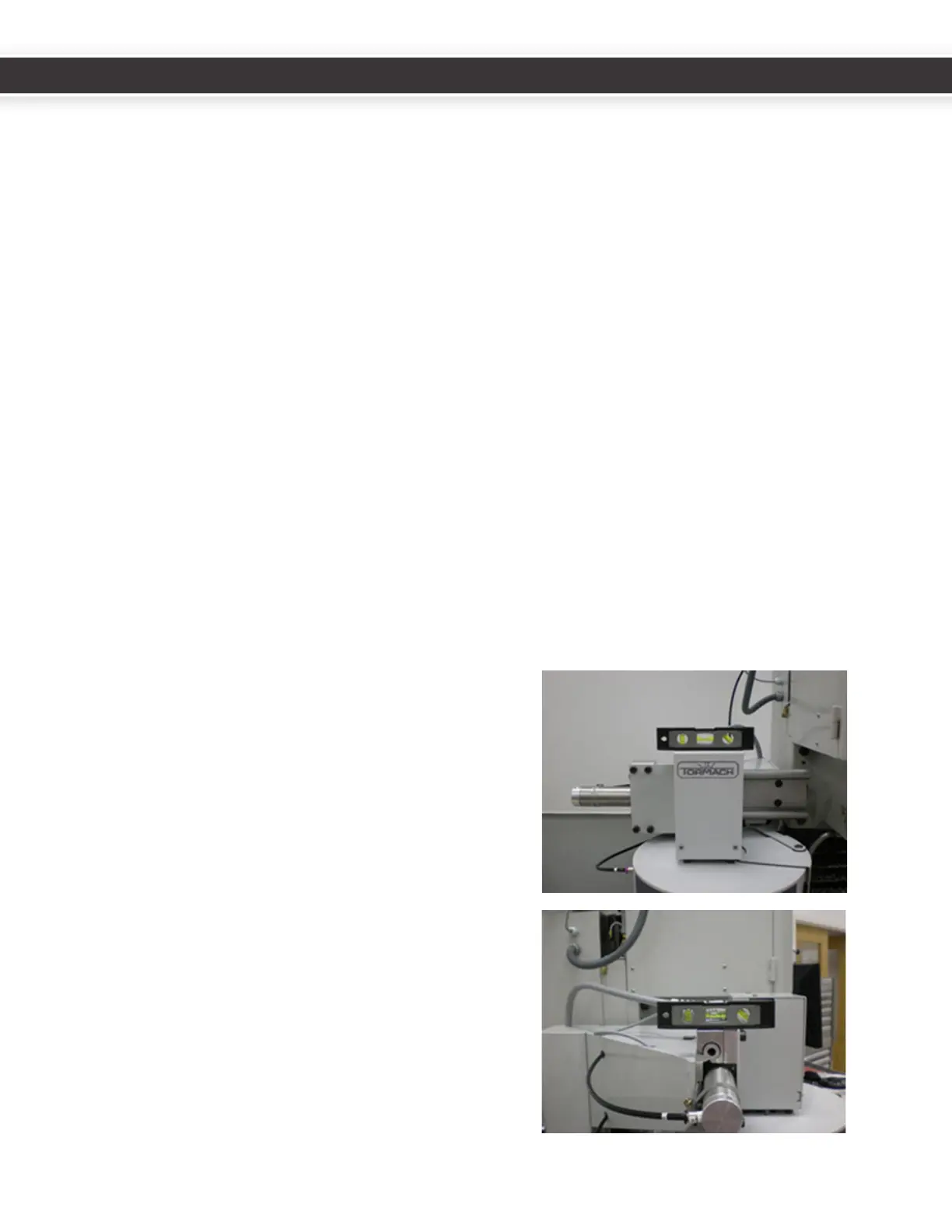
1. ItishelpfultogettheATCassemblyapproximately
levelusingabubblelevelbeforebeginningthe
alignmentprocedure.
16
17
UM10081_TTS_ATC_PCNC1100_1013A UM10081_TTS_ATC_PCNC1100_1013A



 To Next Page