8. Removethetoolfromthetray,thenjogtheZaxis
backdownunlthespindleisjustabovethetoolfork.
Visuallycheckthatthetrayislevelandonaparallel
planetotheundersideofthespindle.Youshould
seethesamedistancebetweenthetoolforkandthe
spindlefacearoundtheperimeterofthespindle.
9. Now,pullyourhandaway,andclick“Referencetool
tray”.Itwillreturntothenewlycenteredposion.
Oncetherstslotisoriented,allotherslotswillstop
inthesamerelaveposion.TheATCwillremember
thisosetindenitely,unlitisresetbythesame
procedure.Thisisnowthereferencelocaonforthe
ATC.
We’renowreadytoverifythealignment.First,verifythat
thepowerdrawbarisadjustedcorrectly.Thedrawbar
shouldbeadjustedsothatatoolholderwillfalloutof
thespindlewhenthedrawbarisactuated.Drawbar
adjustmentisdiscussedinthepowerdrawbarinstallaon
manual,includedforreferenceontheATCsoware
installaonCD.
Test the ATC Alignment
1. Click“GoToTrayLoadPosion”ontheATCSetup
screen.
2. PushtheTTStoolholderwithdowelintotheopenslot
inthetooltray.
3. SlowlyjogZdownunltheTTSshouldertouches
thespindlenose.Itshouldslidesmoothlyonthe
TTSshank.Ifitdoesn’t,thetrayismiss-aligned(not
centeredorperpendiculartothespindle),orthecollet
hasn’topenedfarenoughtospringoutforsmooth
entry.
spindle slides down over the tool shank. This must
4. Onceyougetalignedforasmoothdescent,jogZto
theshoulder.Whenthespindleisresngonthetool
shoulder,clickthe“SetToolChangeZ”buononthe
ATCSetupscreen.
5. You’venowsetthetoolchangelocaonoftheZaxis
foralltoolchanges.Thisposionisrememberedas
amachinecoordinate,issavedatshutdown,andis
independentofallworkortoolosetsestablished
duringmachining.AslongasZisreferenced,thetool
changewilloccuratthesameplace.
6. Aersengthetoolchangelocaon,jogtheZaxis
backupoofthetoolshankandremovethetoolfrom
thefork.
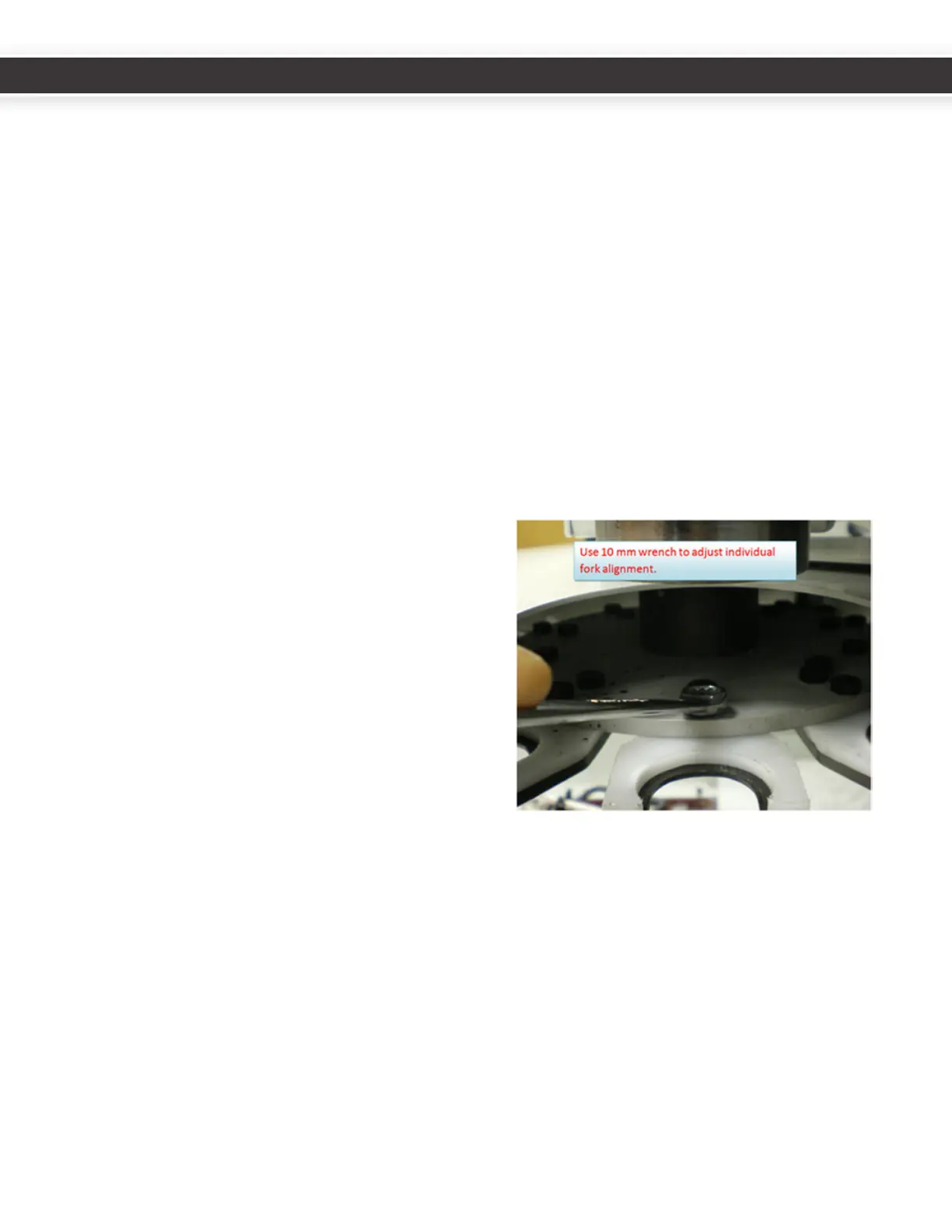
Nowchecktheindividualforkalignment.Duringshipping
orassembly,theforksinthetooltraycanshiabito
center.Thetoolholdingforksneedtoalllineupthesame
wayunderthespindle.Jogthespindleupslightly,then
ontheATCControlscreenclicktheTrayFWDbuonto
indexthecarouseltothenexttoolfork.JogZdownto
sothespindleistouchingthetopoftheforkspring.Push
thespringleorrightunlitisroughlycenteredusing
thethumbandindexngertechniqueemployedinstep
7intheprevioussecon(Align tool Tray and Slots).Ifthe
alignmentiso,youmighthavetojogupandloosenthe
nylonboltsatadrst.Jogupandghtenthenylonbolts
atcenterunlsnugbutnotoverlyght.Repeattoalignall
theslots.
Youshouldonlyhavetodothisonce.Atthispointallthe
forkswillalignidencallytothespindleandworkasSLOT
1did.Youmayverifythisbyhingthe“GoToTrayLoad
Posion”buonandadvancingthrougheachofthetool
posions.Withthedrawbaractuated,insertatoolholder
intheslot,jogdowntoToolChangeZbyhingthe“Goto
ChangeZ”buonontheATCscreen.Whennished,click
“GoToTrayLoadPosion”tomovethespindleawayfrom
thetool,thenmanuallyremovethetoolfromthefork.
Yoursystem,oncealignedandveried,isreadyforuse.
18
19
UM10081_TTS_ATC_PCNC1100_1013A UM10081_TTS_ATC_PCNC1100_1013A



 To Next Page