18
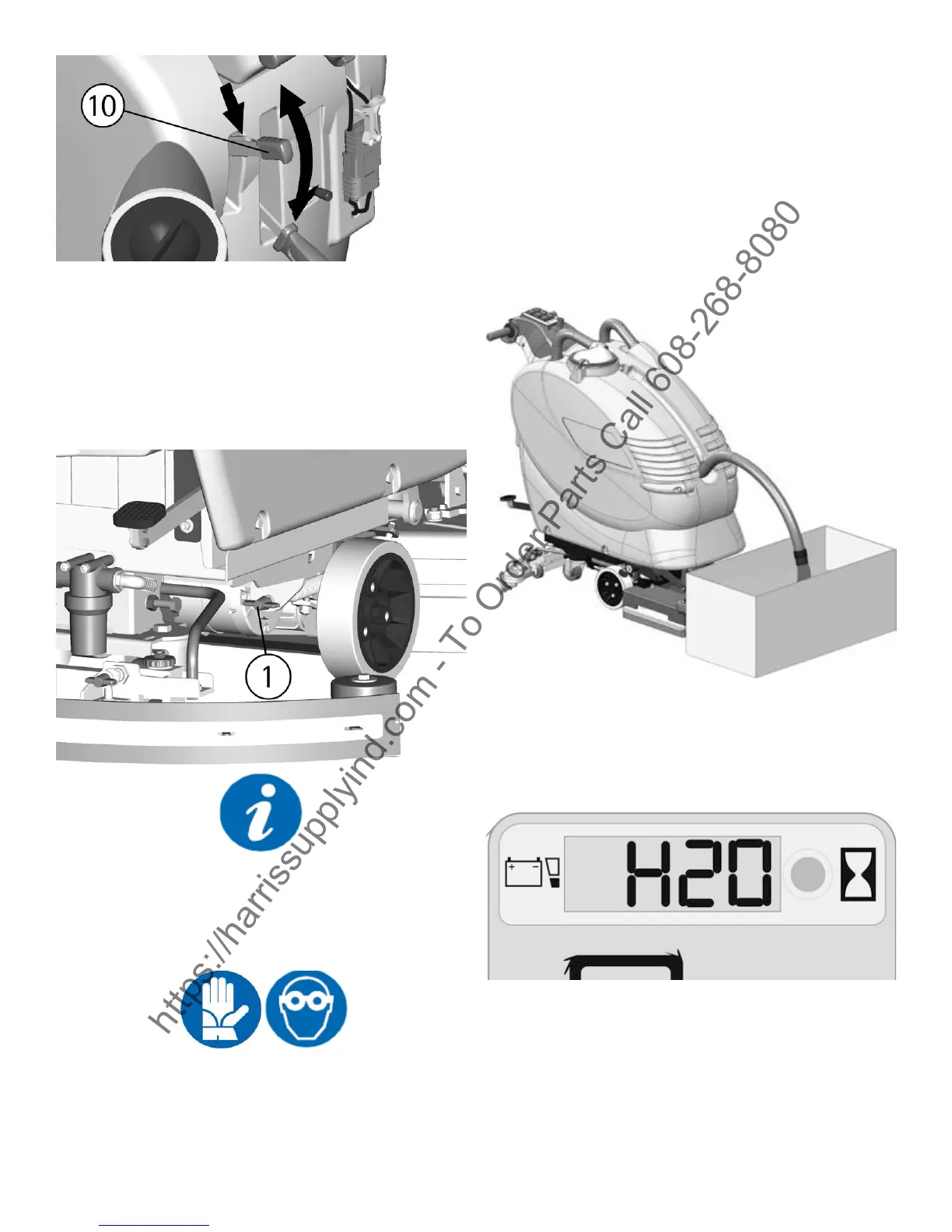
ADJUSTMENT OF THE BASE PRESSURE
Through the register (1) it is possible to adjust the
base pressure on the cleaned surface.
By turning the wing nut clockwise the pressure
increases, rotating the wing nut counterclockwise,
the pressure decreases.
This device allows a more efcient cleaning ac-
tion also on very difcult and dirty surfaces.
In order not to overload the base motor, it is con-
venient to reduce the base pressure going from
smooth oors to rough ones (ex. concrete).
OVERFLOW DEVICE
In order to avoid serious damages to the suction
motor, the machine is equipped with a oat that
intervenes when the recovery tank is full, closing
the suction hose and stopping the suction.
When this happens, it is necessary to empty the
recovery tank.
1. Hold the exhaust hose placed in the front part
of the machine.
2. Take off the exhaust plug acting upon its lever
and empty the recovery tank into appropriate
containers, according to the standard norms.
SIGNAL DETERGENT SOLUTION RESERVE
(H2O ON THE DISPLAY)
When the indication H2O on the display appears,
this means that the detergent is getting low cor-
responding to 10% of the maximum capacity of
the solution tank.
STOP OF THE MACHINE AFTER CLEANING
OPERATION
Before executing any type of maintenance:
1. Turn the base motor switch off (5).
2. Turn the suction motor switch off (6).
3. Lift the base acting upon the pedal (13).
4. Lift the squeegee acting upon the lever (12).
https://harrissupplyind.com - To Order Parts Call 608-268-8080


 To Next Page
 Loading...