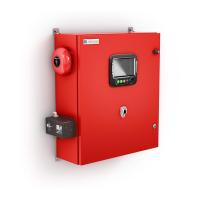
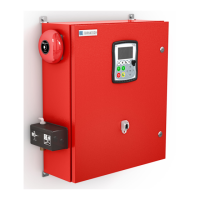
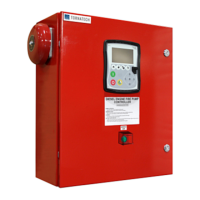
A: Power LED: Indicates if the ViZiTouch is properly powered.
B: Touch Screen: 4.2 inches color touch screen LCD.
C: Alarm LED: Indicates if an alarm is currently active.
D: Front USB Connector: USB Device connector used for file download, software updates, service reports.
E: Home button: Used to navigate to the Home page.
F: Alarm button: Used to navigate to the Alarm page. It also allows the user to silence the alarm bell, hence the
small "no speaker" symbol in the upper right corner of the button.
G: Config button: Used to navigate to the Configuration page.
H: History button: Used to navigate to the History page.
I: Manual Start button: Used to start the automatic cranking sequence.
J: Stop button: Used to stop the engine if all starting conditions are gone.
K: OPERATE START TEST PUSH BUTTON: The engine can be started by using this pushbutton after a "Fail to
Start" alarm, after an automatic start followed by a stop, and during the first setup procedure. The last method will
not activate the "Fuel Solenoid" relay, therefore creating an intentional "Fail to Start". This method of starting will
activate both cranking starters.
L: Contextual navigation pad: Used to facilitate the navigation on specific pages. A small icon representing the
contextual navigation pad will appear at the bottom right corner of a page if the pad is active. By clicking on the
small pad icon, a menu explaining the specific functions of the arrows will appear. For example, it is possible to
switch between the graphical or the table mode on the logs page, as well as navigate through the tables.
M: CAN bus connector to IO cards
N: USB 2.0 connector
O: Ethernet connector
P: Alarm Bell connector


 To Next Page