40 Installation and Operation Guide
PolyVision
®
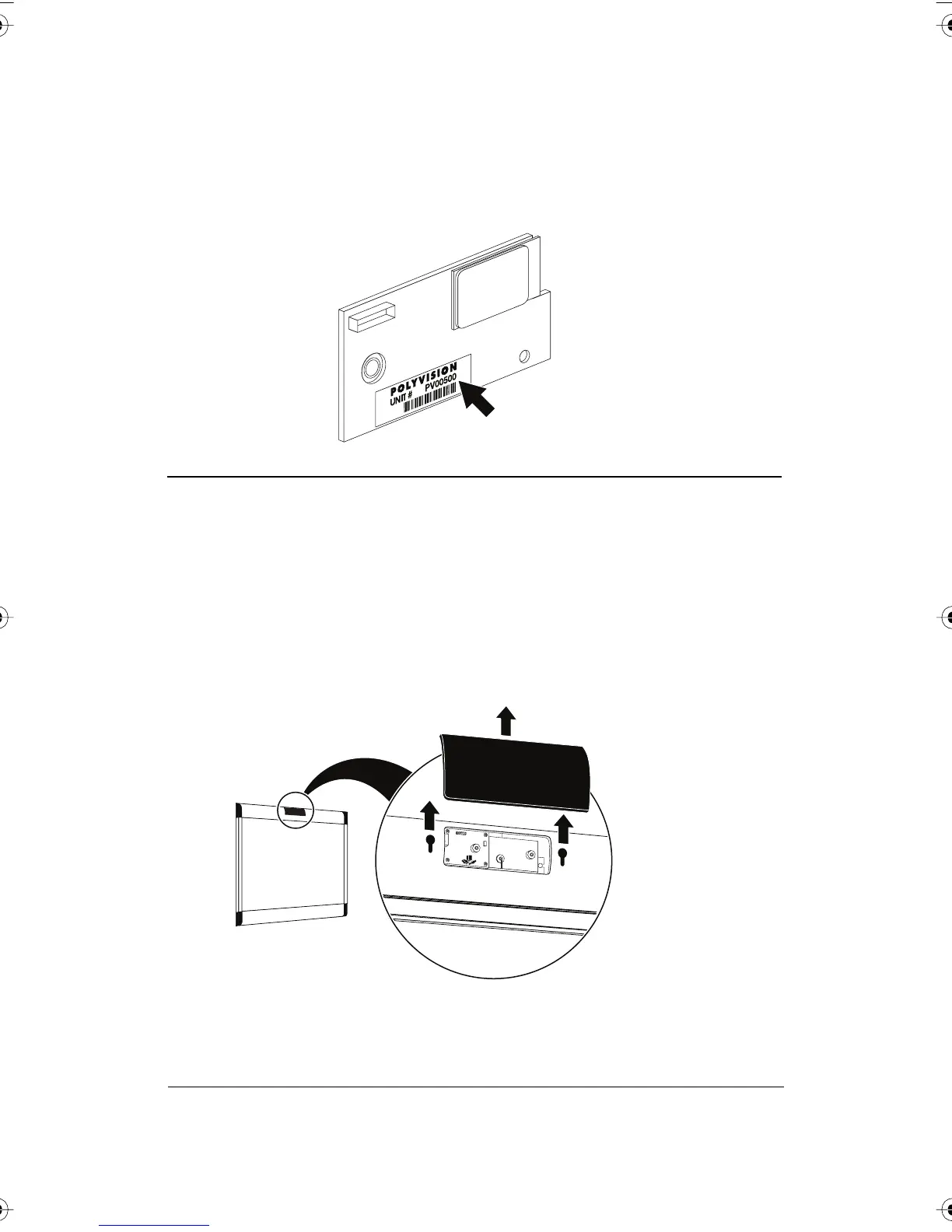
To install the WT Bluetooth adapter:
1 Write down the number printed on the adapter’s label (PV 00500, for
example). You will need that number in a later step.
WARNING
The plug-in card is sensitive to electrostatic discharge. To prevent
possible damage to the card, touch a grounded object such as the
screw on a wall plate before handling the card.
2 Unplug power from the whiteboard, if necessary.
3 Disconnect the USB cable from the whiteboard and from your
computer, and store the cable in a safe place.
4 Open the whiteboard header by sliding the header compartment cover
up towards the ceiling and lifting it out.
PolyVision I&O.book Page 40 Thursday, October 16, 2008 4:18 PM



 To Next Page